Best Billing Software with Payment Tracking for Startups and SMEs
Startups and small businesses operate in a fast-paced environment where every payment counts. Managing invoices manually or tracking payments through spreadsheets often results in errors, delays, and cash-flow problems. That’s why choosing the best billing software startups and SMEs with payment tracking is no longer optional—it’s a business necessity. In this blog, we’ll explore how billing software with payment tracking works, why it’s essential for startups and SMEs, and how it supports efficient business growth.
What Is Billing Software with Payment Tracking?
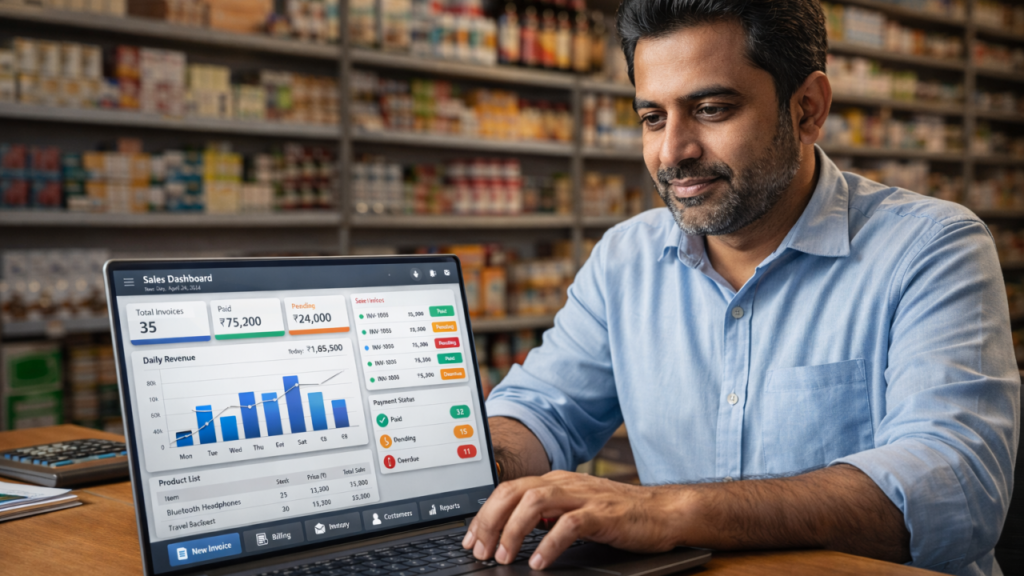
Billing software with payment tracking is a digital solution that enables businesses to create invoices, send them to customers, and automatically track payments from a single platform. It records when invoices are generated, when payments are received, and which invoices remain unpaid or overdue.
Instead of manually following up with clients, businesses gain real-time visibility into their billing and payment status, making financial management more efficient.
However, startups and SMEs operate in a fast-paced environment. As a result, billing errors can directly affect cash flow.
Why Startups and SMEs Need Billing Software with Payment Tracking
Startups and SMEs typically operate with limited resources and tight budgets. Even small payment delays can disrupt daily operations. Billing software with payment tracking provides clarity, control, and reliability.
First, automated invoice creation saves time. Additionally, real-time payment tracking improves financial visibility.
Key Reasons to Use Billing Software:
- Avoid missed or late payments
- Improve cash-flow visibility
- Save time on manual billing tasks
- Maintain accurate and professional records
- Reduce accounting and reconciliation errors
With automated payment tracking, business owners can focus on growth rather than chasing unpaid invoices.
Key Features of the Best Billing Software with Payment Tracking
When selecting billing software, startups and SMEs should look for these essential features:
1. Automated Invoice Creation
Generate professional invoices quickly with taxes, discounts, and due dates included.
2. Real-Time Payment Tracking
Instantly view the status of invoices—paid, unpaid, overdue, or partially paid.
3. Multiple Payment Options
Support for UPI, bank transfers, cards, and digital wallets makes it easier for customers to pay on time.
4. Payment History and Reports
Access detailed reports to support accounting, budgeting, and financial planning.
5. Automated Payment Reminders
Automatic reminders help reduce late payments without the need for manual follow-ups.
Benefits of Billing Software with Payment Tracking for Small Businesses
Improved Cash Flow
Clear and accurate payment tracking ensures you always know how much money is coming in and when.
Better Decision-Making
Reliable billing data helps business owners make informed financial and strategic decisions.
Professional Image
Well-designed invoices and transparent payment records enhance credibility and client trust.
Scalable Growth
As your business grows, billing software scales effortlessly without increasing administrative workload.
How Billing Software with Payment Tracking Saves Time and Money
Manual billing processes are time-consuming and prone to errors. Billing software automates repetitive tasks such as invoice generation, payment status updates, and reminder notifications. This significantly reduces administrative costs and frees up valuable time.
Over time, faster payments and fewer errors lead to improved profitability and operational efficiency.
Who Should Use Billing Software with Payment Tracking?
This solution is ideal for:
- Startups
- Small and medium enterprises (SMEs)
- Freelancers and consultants
- Service-based businesses
- Agencies and online sellers
If your business sends invoices and collects payments, billing software with payment tracking is essential.
How to Choose the Right Billing Software with Payment Tracking
Before selecting a billing solution, consider the following factors:
- Ease of use
- Cloud access and data security
- Tax and co
Startups and small businesses operate in a fast-paced environment where every payment counts. Managing invoices manually or tracking payments through spreadsheets often results in errors, delays, and cash-flow problems. That’s why choosing the best billing software with payment tracking is no longer optional—it’s a business necessity.
In this blog, we’ll explore how billing software with payment tracking works, why it’s essential for startups and SMEs, and how it supports efficient business growth.
What Is Billing Software with Payment Tracking?
Billing software with payment tracking is a digital solution that enables businesses to create invoices, send them to customers, and automatically track payments from a single platform. It records when invoices are generated, when payments are received, and which invoices remain unpaid or overdue.
Instead of manually following up with clients, businesses gain real-time visibility into their billing and payment status, making financial management more efficient.
Why Startups and SMEs Need Billing Software with Payment Tracking
Startups and SMEs typically operate with limited resources and tight budgets. Even small payment delays can disrupt daily operations. Billing software with payment tracking provides clarity, control, and reliability.
Key Reasons to Use Billing Software:
- Avoid missed or late payments
- Improve cash-flow visibility
- Save time on manual billing tasks
- Maintain accurate and professional records
- Reduce accounting and reconciliation errors
With automated payment tracking, business owners can focus on growth rather than chasing unpaid invoices.
Key Features of the Best Billing Software with Payment Tracking
When selecting billing software, startups and SMEs should look for these essential features:
1. Automated Invoice Creation
Generate professional invoices quickly with taxes, discounts, and due dates included.
2. Real-Time Payment Tracking
Instantly view the status of invoices—paid, unpaid, overdue, or partially paid.
3. Multiple Payment Options
Support for UPI, bank transfers, cards, and digital wallets makes it easier for customers to pay on time.
4. Payment History and Reports
Access detailed reports to support accounting, budgeting, and financial planning.
5. Automated Payment Reminders
Automatic reminders help reduce late payments without the need for manual follow-ups.
Benefits of Billing Software with Payment Tracking for Small Businesses
Improved Cash Flow
Clear and accurate payment tracking ensures you always know how much money is coming in and when.
Better Decision-Making
Reliable billing data helps business owners make informed financial and strategic decisions.
Professional Image
Well-designed invoices and transparent payment records enhance credibility and client trust.
Scalable Growth
As your business grows, billing software scales effortlessly without increasing administrative workload.
How Billing Software with Payment Tracking Saves Time and Money
Manual billing processes are time-consuming and prone to errors. Billing software automates repetitive tasks such as invoice generation, payment status updates, and reminder notifications. This significantly reduces administrative costs and frees up valuable time.
Over time, faster payments and fewer errors lead to improved profitability and operational efficiency.
Who Should Use Billing Software with Payment Tracking?
This solution is ideal for:
- Startups
- Small and medium enterprises (SMEs)
- Freelancers and consultants
- Service-based businesses
- Agencies and online sellers
If your business sends invoices and collects payments, billing software with payment tracking is essential.
How to Choose the Right Billing Software with Payment Tracking
Before selecting a billing solution, consider the following factors:
- Ease of use
- Cloud access and data security
- Tax and compliance support
- Reporting and analytics capabilities
- Availability of customer support
Choosing the right software ensures long-term efficiency and smooth financial management.
Conclusion
For startups and SMEs, efficient invoice and payment management can be the difference between success and struggle. The best billing software with payment tracking simplifies invoicing, improves cash flow, and provides complete financial visibility.
By adopting modern billing software, businesses can reduce stress, increase transparency, and confidently focus on scaling their operations.
1. What is an invoice?
An invoice is a document sent by a seller to a customer requesting payment for goods or services provided.
2. What information should an invoice include?
An invoice usually includes:
Invoice number
Invoice date & due date
Seller’s name, address, and contact details
Customer’s details
Description of goods/services
Quantity and price
Taxes (if applicable)
Total amount payable
Payment terms and methods
3.Can invoices include taxes and discounts?
Absolutely. Taxes, discounts, shipping charges, and additional fees can be added automatically.
Create Smart Invoices in Seconds
Create professional invoices in seconds fast, accurate, and made for your business.