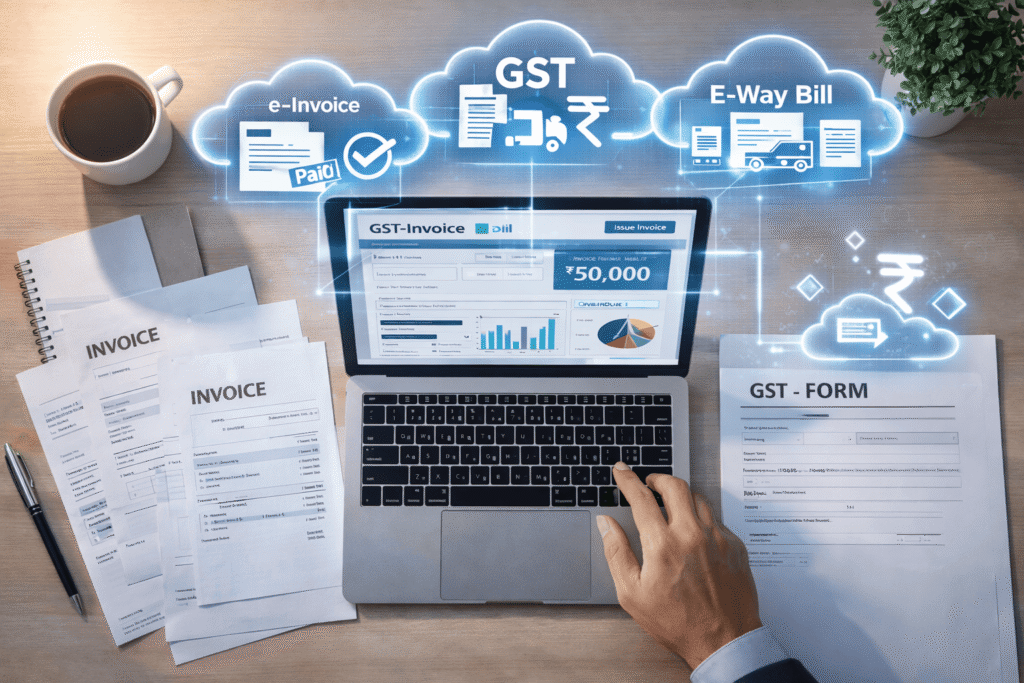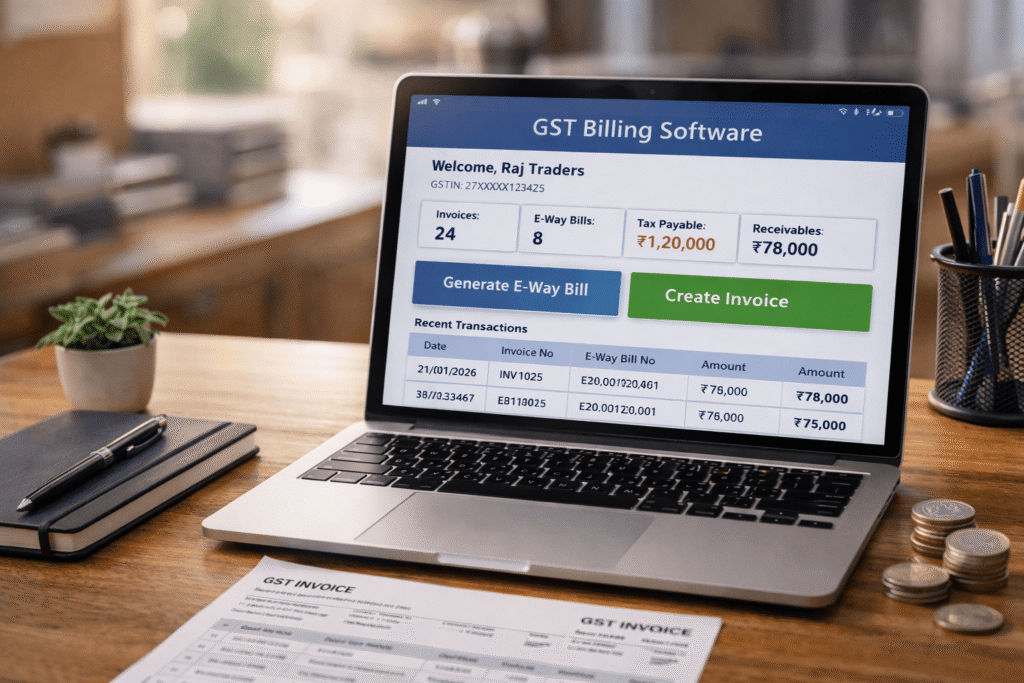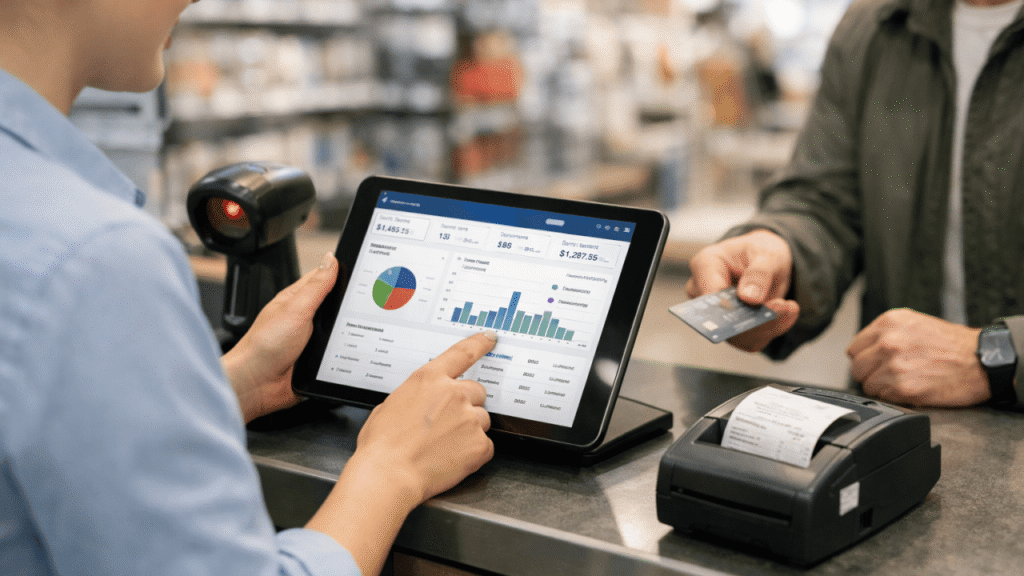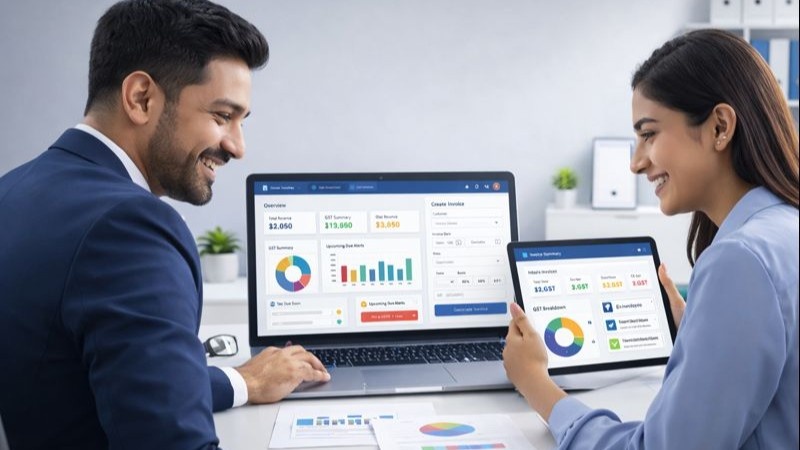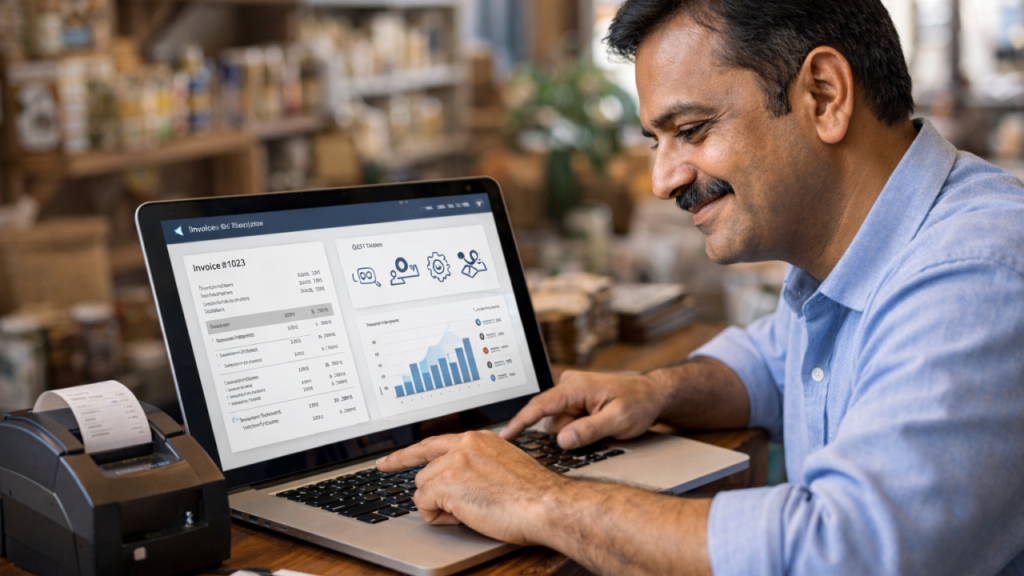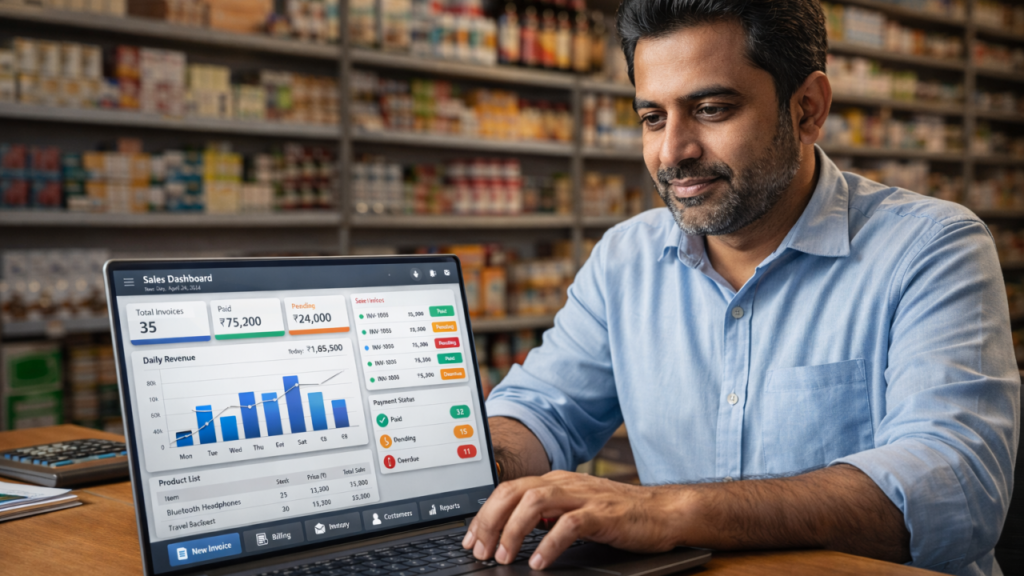
Easy GST Billing & Invoicing Software for Indian Startups

Discover the best invoicing software for Indian startups. Simplify GST billing, automate invoices, track payments, and grow your business efficiently.

Easy GST Billing & Invoicing Software for Indian Startups
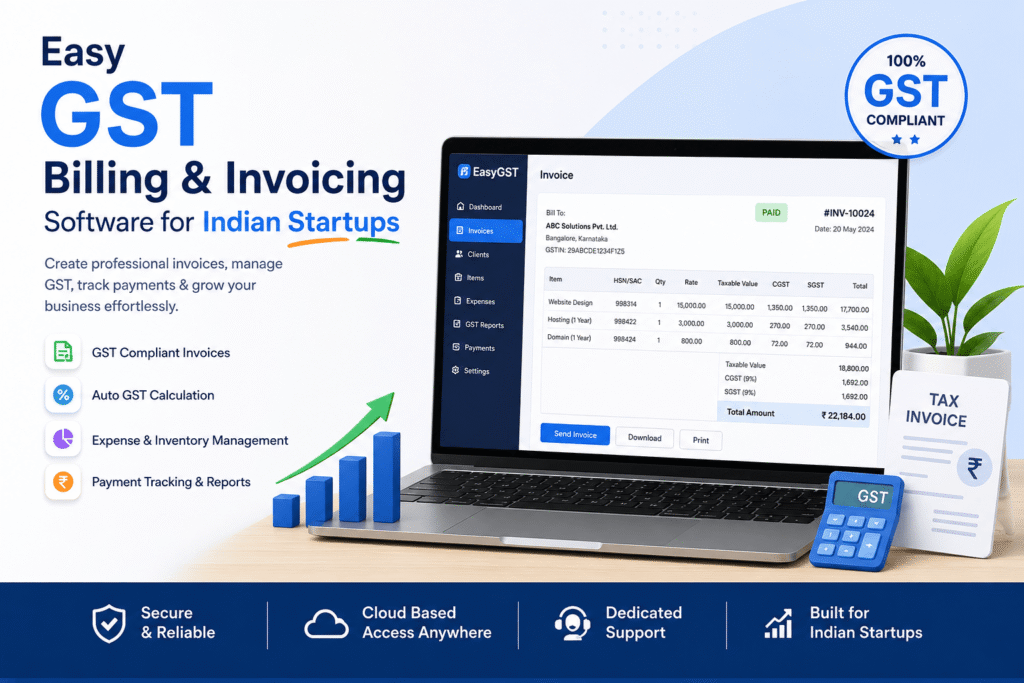
Discover the best invoicing software for Indian startups. Simplify GST billing, automate invoices, track payments, and grow your business efficiently.

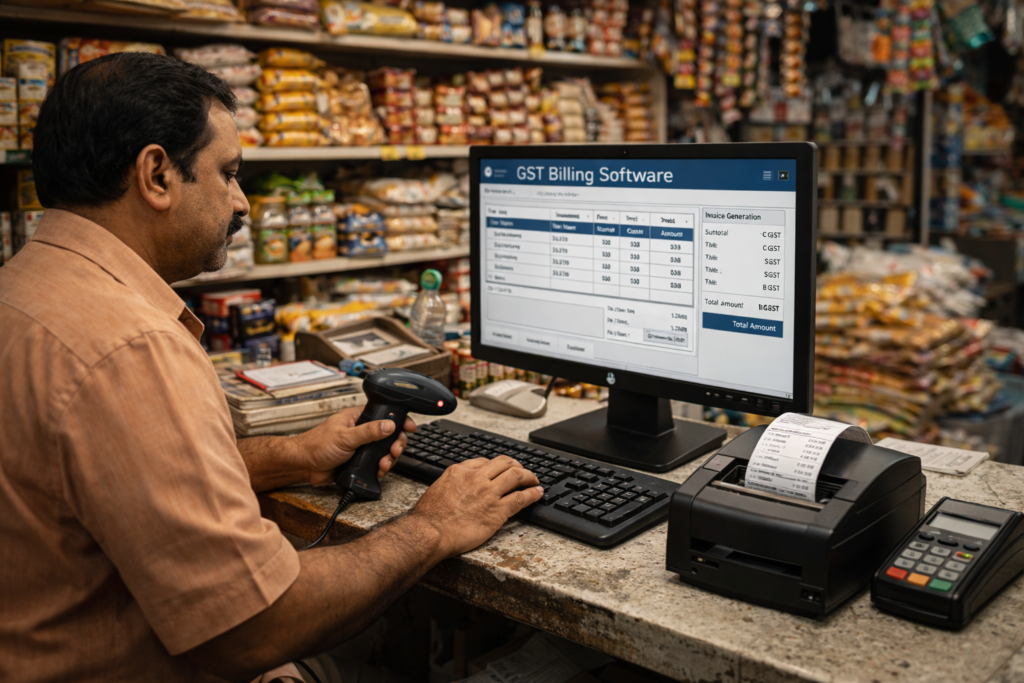
Being a startup in India has its own set of challenges, particularly when it comes to billing, invoicing, GST compliance, and payment tracking. Manual invoicing often leads to errors, delayed payments, and tax-related issues. This is where Invoicing Software for Indian Startups comes into play.
Modern invoicing software can assist startups in automating billing, creating GST-compliant invoices, monitoring payments, and managing financial records efficiently. From small businesses to retail stores, SaaS companies to service-based startups, smart billing software can save time and enhance cash flow.
In this blog, we will explore the benefits, features, and importance of using easy GST billing and invoicing software for Indian startups.

What is Invoicing Software for Indian Startups?

Invoicing Software for Indian Startups is a digital tool that helps businesses generate, manage, and monitor invoices while adhering to the tax regulations in India, including GST.
It helps startups:
• Create professional invoices
• Calculate GST automatically
Monitor payments and payment deadlines
Handle customer billing information
• Generate financial reports
• Reduce manual accounting work
Cloud-based invoicing systems also enable startups to access billing data anytime and anywhere.

Why Indian Startups Need GST Billing Software

1. Saves Time and Improves Efficiency

Manual invoice creation takes time and increases the risk of mistakes. Automated invoicing software creates invoices instantly and reduces repetitive tasks.

2. GST Compliance Made Easy

Indian startups need to be careful about the rules of GST. GST billing software automatically calculates CGST, SGST, and IGST, helping businesses stay compliant.

3. Faster Payment Collection

Professional invoices with payment reminders help startups receive payments on time and improve cash flow management.

4. Better Financial Tracking

Startups can monitor sales, expenses, pending payments, and taxes from a single dashboard.

5. Reduces Human Errors

Automation minimizes billing mistakes, duplicate entries, and incorrect tax calculations.

Key Features of the Best Invoicing Software for Indian Startups

GST Invoice Generation

The software should support GST-compliant invoices with proper tax calculations.

Automated Payment Reminders

Automatic reminders help businesses reduce overdue payments.

Cloud-Based Access

Cloud invoicing software allows startups to access data from anywhere securely.

Expense Management

Track expenses, business spending, and profit margins easily.

Multi-User Access

Teams can manage invoices and billing collaboratively.

Real-Time Reports

Get detailed reports on revenue, taxes, sales, and customer payments.

Data Security

Secure cloud storage protects important financial data.

Benefits of Using Cloud Invoicing Software

Cloud invoicing software offers flexibility and scalability for startups. It enables:

  • Remote billing management
  • Real-time invoice tracking
  • Secure backup of financial data
  • Easy collaboration between teams
  • Faster software updates and automation

Indian startups can grow faster by using cloud-based invoicing systems instead of traditional billing methods.

How GST Billing Software Helps Startup Growth

Using Invoicing Software for Indian Startups improves operational efficiency and supports business growth.

Improved Customer Experience

Professional invoices build trust and improve brand image.

Better Cash Flow Management

Payment tracking and reminders help startups maintain healthy cash flow. 

Increased Productivity

Automation allows teams to focus more on business growth instead of manual accounting.

Easy Tax Filing

GST reports simplify tax filing and reduce compliance stress.

Tips for Choosing the Right Invoicing Software

Before selecting invoicing software, startups should consider:

  • GST compliance support
  • Ease of use
  • Cloud accessibility
  • Affordable pricing
  • Customer support
  • Integration with accounting tools
  • Data security features

Choosing the right solution can improve billing accuracy and business efficiency.

Future of Invoicing Software in India

The future of invoicing software is becoming smarter with AI automation, digital payments, and real-time analytics. Indian startups are rapidly adopting cloud-based billing systems to simplify operations and improve financial management.

Advanced invoicing software now includes:

  • AI-powered automation
  • E-invoicing support
  • Smart financial reports
  • Payment gateway integration
  • Mobile billing applications

Digital transformation is making invoicing faster, safer, and more efficient for startups.

Conclusion

Managing GST billing manually can slow down startup growth and increase financial errors. Using Invoicing Software for Indian Startups helps businesses automate invoices, improve payment collection, maintain GST compliance, and save valuable time.

Whether you are a small startup or a growing company, investing in smart invoicing software can improve productivity, simplify accounting, and support long-term business success.

Start automating your billing process today and take your startup to the next level with modern GST invoicing software.

What is the best GST billing software for Indian startups?

The best GST billing software for Indian startups is one that offers easy invoice generation, automated tax calculations, cloud access, expense tracking, and real-time reporting.


How does GST invoicing software help small businesses?

GST invoicing software helps small businesses automate billing, reduce accounting errors, manage taxes, and improve payment tracking efficiently.


Is cloud-based GST billing software safe to use?

Yes, cloud-based GST billing software uses secure cloud storage and data encryption to protect sensitive business and financial information.


Can GST billing software generate GST-compliant invoices automatically?

Yes, modern GST billing software automatically generates GST-compliant invoices with accurate CGST, SGST, and IGST calculations.


 

What is Invoice Management? A Simple Guide for Beginners

Invoice Management

What is Invoice Management? A Simple Guide for Beginners

Invoice Management

Invoices are an important part of a business. As a freelancer, startup, or even a big company, invoice management is one of the things that will contribute to the proper cash flow and prompt payments.

Properly structured billing process minimizes mistakes, enhances financial monitoring and builds strong relationships with clients. In the absence of an effective system, there is a risk of delays and confusion in payments within the businesses.

This guide will provide your explanation of invoice management in a straightforward and easy manner, to make you understand the way of simplifying your invoicing process and to be more efficient in general.

📊 What is Invoice Management?

Invoice management is the process of preparing, sending, tracking, and maintaining invoices for business transactions. It helps companies keep accurate payment records and ensures clients pay on time.

An efficient system saves time and reduces errors by automating tasks like invoice creation and payment tracking. This allows businesses to stay organized and focus more on growth instead of manual work.

⚙️ How Invoice Management Works

The invoice , management process usually includes:

  • Creating invoices with product/service details
  • Sending invoices to clients
  • Tracking payment status
  • Sending reminders for unpaid invoices
  • Recording completed payments

Using digital tools or software can make this process faster and more accurate.

💡 Importance of Invoice Management

Proper invoice – management is important for many reasons:

  • Improves cash flow
  • Reduces payment delays
  • Minimizes human errors
  • Keeps financial records organized
  • Helps in tax filing and compliance

Without proper invoice management, businesses may face delays and financial confusion.

🚀 Benefits of Using Invoice Management Software

Modern businesses prefer automated tools for invoice  management. Some key benefits include:

  • Faster invoice creation
  • Automatic payment reminders
  • Real-time tracking
  • Secure data storage
  • Easy GST and tax handling

This helps businesses focus more on growth instead of manual tasks.

❌ Common Invoice Management Mistakes

Avoid these common mistakes:

  • Sending incorrect invoice details
  • Not following up on payments
  • Poor record keeping
  • Using manual processes instead of automation

Fixing these issues can improve your overall billing system.

Conclusion

Invoice management is a crucial part of business operations. By using the right tools and strategies, businesses can save time, reduce errors, and improve cash flow. Beginners should start with simple tools and gradually move to automated solutions for better efficiency.

Best Billing System for Retail Shops with GST

Billing System Best Billing System for Retail Shops with GST

Best Billing System for Retail Shops with GST

Billing System Best Billing System for Retail Shops with GST

Running a retail shop in India means dealing with GST invoicing, HSN codes, GSTR-1 filing, and stock management — all at once. A smart billing system for retail shops with GST doesn’t just print receipts — it automates compliance, eliminates manual errors, and helps you grow. This guide breaks down everything you need to know before choosing the right software.

What Is a Billing System for Retail Shops with GST?

A billing system for retail shops with GST is a software solution that combines point-of-sale (POS) functionality with GST-specific invoicing, tax calculation, and return filing preparation. Unlike generic invoicing tools, retail GST billing software understands India’s tax slabs (0%, 5%, 12%, 18%, 28%), generates HSN/SAC code-compliant bills, and exports data for GSTR-1, GSTR-2A, and GSTR-3B.

Must-Have Features in a Retail GST Billing System

Not all billing software is created equal. Here are the non-negotiable features your retail shop needs:

🧾


GST-Compliant Invoices

Auto-calculates CGST, SGST, and IGST. Supports B2B and B2C invoice formats as per GST rules.

📦

Inventory Management

Track stock in real-time, set reorder alerts, and sync inventory with billing automatically.

🏷️

HSN / SAC Code Lookup

Built-in HSN code database ensures every product is tagged correctly for GST compliance.

📊

GSTR-1 / 3B Export

One-click export of GST return data in the format accepted by the GST portal or your CA.

💳

Multiple Payment Modes

Supports UPI, cash, card, credit — all recorded and reconciled within the billing system.

📱

Mobile & Cloud Access

Access billing, reports, and stock from anywhere — essential for multi-outlet retailers.

🔐

Customer Ledger & Credit

Maintain customer accounts, credit limits, and outstanding payments with ease.

📈

Sales & Tax Reports

Daily, monthly, and yearly sales reports with tax summaries — crucial for smart decision-making.

GST Compliance Checklist for Retail Billing Software

  • Auto-populated GSTIN on invoices
  • HSN code mapping for all products
  • CGST + SGST split for intra-state
  • IGST for inter-state transactions
  • E-invoice generation (IRN + QR Code)
  • Reverse charge mechanism suppor
  • Credit note & debit note management
  • Composition scheme billing support
  • GSTR-1 JSON export for GST portal
  • Input Tax Credit (ITC) tracking
  • B2B and B2C invoice differentiation
  • Audit trail with tamper-proof logs

Manual Billing vs GST Billing Software

Still maintaining paper registers or using basic Excel sheets? Here’s how the right billing system transforms your retail operations:

Aspect

Invoice Generation Speed
GST Calculation Errors
GSTR-1 Filing Prep
Inventory Sync
Compliance Risk
Business Reports
Scalability
Cost (Long Term)

Manual / Excel Billing

5–10 minutes per bill
Frequent — human error
Manual data entry (hours)
Manual & error-prone
High — penalty risk
Time-consuming
Difficult to scale
Higher (penalties + time)

GST Billing Software

Under 60 seconds
Zero — auto-calculated
One-click export
Real-time automatic
Minimal
Instant dashboards
Cloud-based, multi-outlet
Lower with ROI

Which Retail Shops Need a GST Billing System?

A billing system for retail shops with GST is essential for virtually every type of registered retailer in India. Whether you run a single kirana store or a multi-branch supermarket, the right software scales with you.

✔  Grocery & Kirana Stores

✔  Clothing & Apparel Shops

✔ Medical & Pharmacy Shops

✔ Footwear & Accessories Shops

✔ Auto Parts & Accessories

✔ Sweet Shops & Food Outlets

✔  Supermarkets & Hypermarkets

✔  Electronics & Mobile Stores.

✔ Hardware & Building Material Stores

✔ FMCG Distributors & Wholesalers

✔  Stationery & Book Stores

✔ Furniture & Home Décor Stores

How to Choose the Best Billing System for Your Retail Shop

1. Identify Your Business Size & Volume

A small kirana store processing 50 bills/day has different needs than a clothing chain with 5 outlets. Choose software that matches your daily transaction volume and scales affordably as you grow.

2. Check GST Certification

Always verify that the software is a GST Suvidha Provider (GSP) approved or integrated solution. Look for compliance with GSTN’s e-invoicing API if your turnover exceeds ₹5 crores.

3. Evaluate Ease of Use

Your billing staff shouldn’t need a tech degree. Look for software with a clean touchscreen-friendly POS interface, keyboard shortcuts, and quick search for products.

4. Look for Offline + Online Capability

Internet disruptions are real. The best retail billing software works offline and syncs data to the cloud automatically when connectivity is restored — ensuring uninterrupted business operations.

5. After-Sales Support & Training

Prioritise vendors offering dedicated onboarding, GST update support (whenever the government changes tax slabs), and responsive customer service via phone or WhatsApp.

Make the Smart Switch to GST Billing Software Today

A modern billing system for retail shops with GST is no longer a luxury — it’s a business necessity. It protects you from compliance penalties, speeds up checkout, gives you real-time business insights, and frees up hours every month that were previously lost to manual data entry and reconciliation.

Whether you run a neighborhood kirana store or a multi-outlet retail chain, the right billing system pays for itself within the first quarter — through saved penalties, recovered ITC, and faster operations.

Frequently Asked Questions

Q1. What is a billing system for retail shops with GST?

A GST billing system for retail shops is software that combines point-of-sale (POS) invoicing with India's GST tax engine. It auto-calculates CGST, SGST, and IGST, applies correct HSN/SAC codes, and generates GST-compliant invoices — all in under a minute. Unlike generic billing tools, it's built around India's multi-slab tax structure (0%, 5%, 12%, 18%, 28%).

Q2. Is GST billing software mandatory for retail shops in India?

No specific software is mandated by law. However, every GST-registered business must issue GST-compliant invoices that include GSTIN, HSN codes, tax breakup, and invoice number. Doing this manually is error-prone and risky — billing software makes compliance automatic and audit-proof.

Q3. What is e-invoicing and which retailers need it?


E-invoicing is a government mandate requiring B2B invoices to be registered on the Invoice Registration Portal (IRP), which issues an IRN (Invoice Reference Number) and embeds a QR code. As of 2024, businesses with annual turnover above ₹5 crores must comply. Your billing software must support IRP integration for this.

Q4. Can billing software help me track Input Tax Credit (ITC)?

Yes. Billing software records all purchase invoices with GST amounts, letting you track ITC available on inputs. Some advanced tools also reconcile your purchase data with GSTR-2A/2B (supplier-filed data) to flag mismatches before filing — reducing ITC rejection risk significantly.

Complete Billing Solution for Retail Shops & Small Businesses

Billing Solution for Retail Shops

Complete Billing Solution for Retail Shops & Small Businesses

Billing Solution for Retail Shops

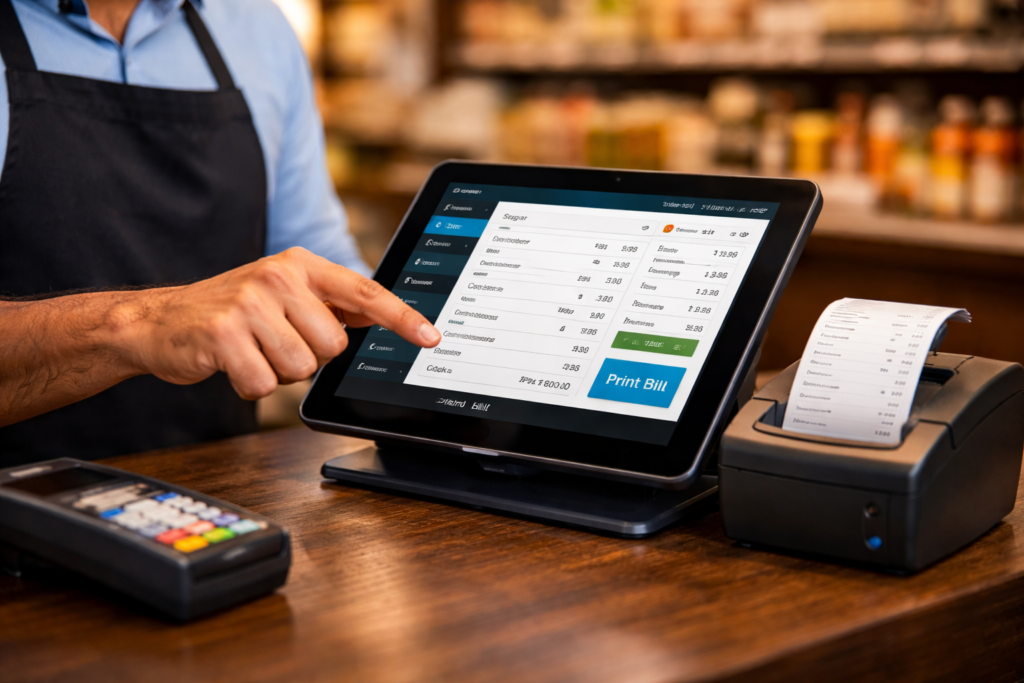
Running a retail shop today requires more than just selling products. Shop owners must manage sales, inventory, invoices, payments, and GST compliance efficiently. A modern Billing Solution for Retail Shops helps businesses automate these tasks and reduce manual work.

With digital billing software, retailers can create invoices quickly, track stock in real time, and generate accurate financial reports. This not only saves time but also improves business efficiency and customer satisfaction.

What is a Billing Solution for Retail Shops?

A Billing Solution for Retail Shops is software designed to simplify the billing process for retailers. It allows shop owners to generate invoices, manage inventory, track sales, and monitor payments from a single platform.

Instead of using manual billing methods, retailers can use a digital billing system to ensure fast transactions, accurate records, and GST compliance.

Why Retail Shops Need a Billing Solution

Retail businesses handle multiple transactions every day. Without a proper system, managing bills and inventory can become difficult.

Here are some reasons why retailers need a modern billing solution:

1. Faster Billing Process

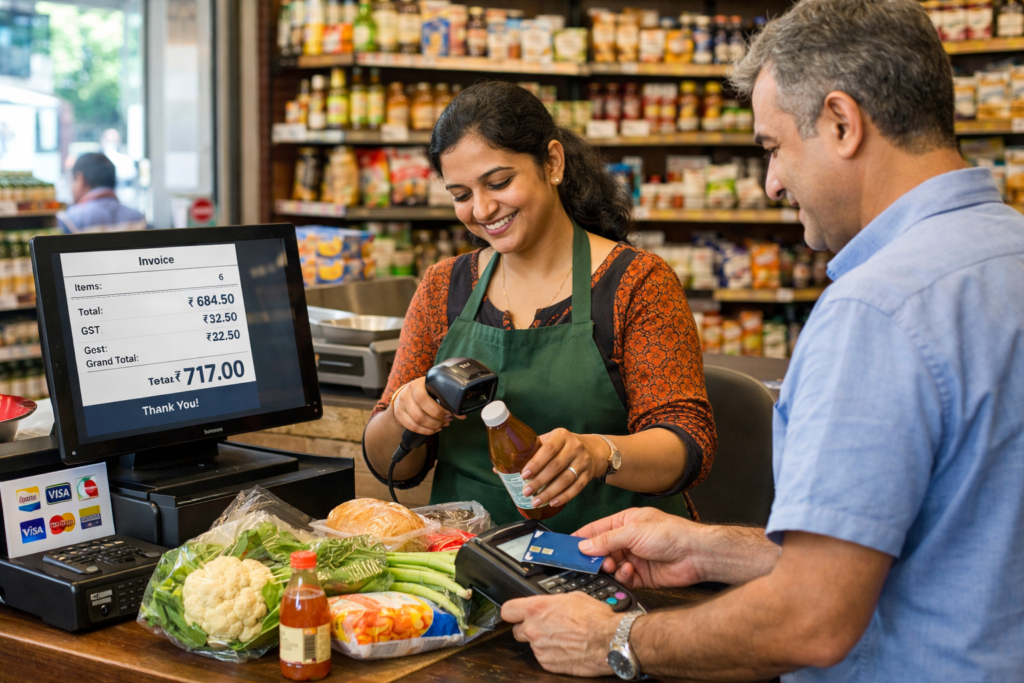
Billing software allows retailers to create invoices within seconds. This reduces waiting time for customers and improves the checkout experience.

2. Accurate Inventory Management

A billing system automatically updates stock whenever a product is sold. This helps shop owners avoid stock shortages or overstocking.

3. GST Compliance

Many billing solutions support GST invoicing, helping retailers generate GST-compliant invoices and maintain proper tax records.

4. Sales Tracking

Retailers can track daily, weekly, and monthly sales through detailed reports. This helps in making better business decisions.

5. Payment Tracking

Billing software records all transactions, including cash, card, and online payments. This makes financial tracking easier.

Key Features of a Billing Solution for Retail Shops

A modern Billing Solution for Retail Shops includes several powerful features that help businesses run smoothly.

Smart Invoice Generation

Retailers can create professional invoices with product details, taxes, and discounts.

Barcode Scanning

Barcode scanners make billing faster and reduce manual errors.

Inventory Management

The software automatically tracks stock levels and alerts when products run low.

Sales Reports and Analytics

Retailers can analyze sales performance and identify top-selling products.

Multi-Payment Support

Billing systems support various payment options like cash, UPI, cards, and digital wallets.

Benefits for Small Businesses

Small businesses can gain many advantages from using a Billing Solution for Retail Shops.

  • Saves time and reduces manual work
  • Improves billing accuracy
  • Enhances customer experience
  • Helps manage inventory efficiently
  • Provides real-time sales insights

By automating routine tasks, shop owners can focus more on growing their business.

Choosing the Right Billing Solution

When selecting a billing solution, retailers should consider the following factors:

  • Ease of use
  • GST compliance
  • Inventory management features
  • Cloud access and data security
  • Reporting and analytics

A reliable billing platform can significantly improve the efficiency of retail operations.

Conclusion

A Billing Solution for Retail Shops is essential for modern retailers and small businesses. It simplifies billing, improves inventory management, and helps maintain accurate financial records.

By adopting smart billing software, retailers can streamline their daily operations, enhance customer satisfaction, and grow their business more efficiently.

Daily Bank Reconciliation: The Complete Guide to Accurate Financial Records

Daily Bank Reconciliation

Daily Bank Reconciliation: The Complete Guide to Accurate Financial Records

Daily Bank Reconciliation

What Is Bank Reconciliation — and Why Does It Matter Daily?

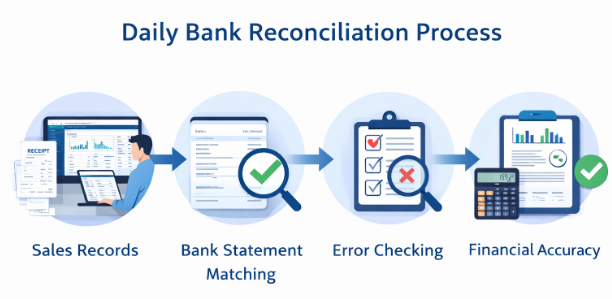
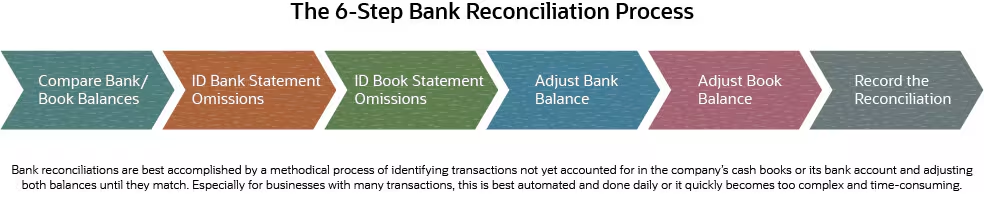
Bank reconciliation is the process of comparing your internal financial records against your bank statement to ensure they match. When discrepancies exist, you investigate and resolve them before they compound into bigger problems. 

While many businesses reconcile monthly, daily reconciliation offers a powerful advantage: you catch errors, fraud, and cash flow surprises within 24 hours instead of 30 days. For high-volume businesses, this is not optional — it is essential. 

The Core Components of a Bank Reconciliation

Every reconciliation compares two sets of records. Understanding what each contains is the foundation of the entire process. 

Your Internal Cash Book

This is your company’s own record of all cash transactions — every deposit, payment, transfer, and fee your accounting team has logged. It may live in your accounting system, a spreadsheet, or a general ledger. 

Your Bank Statement

This is the official record held by your financial institution. It shows every transaction that has cleared your account, including charges, credits, and holds applied by the bank itself. 

The Reconciling Items

Reconciling items are the legitimate differences between the two records at any given moment. Common examples include: 

  • Outstanding checks — issued by you, not yet cleared at the bank 
  • Deposits in transit — recorded by you, not yet posted by the bank 
  • Bank fees or interest — posted by the bank, not yet entered in your books 
  • Returned checks (NSF) — bounced checks that reduce your bank balance 
  • Timing differences — transactions recorded on different business days 

Step-by-Step: The Daily Bank Reconciliation Process

Gather Your Source Documents

Before you begin, collect everything you need: today’s bank statement or online banking feed, your cash book or accounting system ledger for the same period, prior day’s ending reconciled balance, and any pending transaction notes.

Match Deposits

Go through each deposit in your cash book and confirm it appears on the bank statement. Mark matched items on both sides. Note any deposits you recorded that the bank has not yet processed — these are your deposits in transit. 

Match Payments and Withdrawals

Do the same for outgoing transactions. Every check, ACH payment, wire transfer, and debit card charge should match between the two records. Unmatched items on the bank side may be fees or unauthorized charges. Unmatched items on your side are outstanding checks. 

Account for Bank-Only Items

Banks apply charges and credits you may not have recorded yet — service fees, interest earned, wire fees, returned items. Enter these into your cash book now so your records stay current. 

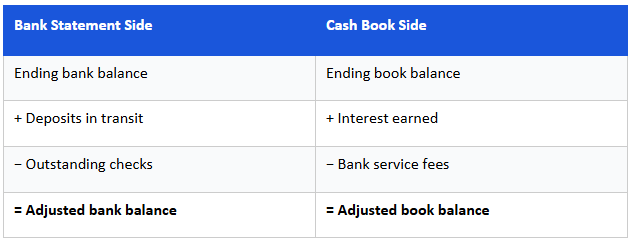
Calculate the Adjusted Balances

Apply the following formula to bring both sides into alignment: 

When the adjusted bank balance equals the adjusted book balance, your reconciliation is complete.

Investigate and Resolve Discrepancies

A difference between your adjusted balances means something was missed, misrecorded, or is unauthorized. Common causes include: 

  • Transposition errors — digits entered in the wrong order  
  • Duplicate entries — same transaction recorded twice in one system 
  • Missing transactions — a payment or deposit not yet recorded on one side 
  • Unauthorized charges — fees or debits you did not authorize 
  • Returned items — checks or ACH payments that failed and reversed 

Document and Sign Off

Once balanced, document the completed reconciliation with the date, preparer name, final adjusted balances, and a list of any reconciling items. A second team member should review and sign off wherever possible — this is a critical internal control. 

Common Mistakes That Derail Reconciliations

Even experienced teams make these errors. Awareness is the first line of defense. 

  • Reconciling to the wrong period — always match statement dates precisely 
  • Ignoring small discrepancies — even a  difference can signal a larger pattern 
  • Skipping bank-side adjustments — fees and interest must be entered in your books 
  • Using unreconciled prior balances — always start from a confirmed closing balance 
  • Rushing the match — visual matching without verification leads to false positives 

Internal Controls That Make Daily Reconciliation Stronger

Reconciliation is most powerful when embedded in a system of controls. Consider implementing the following alongside your daily process: 

  • Segregation of duties — the person who records transactions should not be the one reconciling them 
  • Dual authorization — require two approvals for transactions above a set threshold 
  • Exception reporting — flag any transaction above a defined amount for same-day review 
  • Read-only bank access for reconcilers — prevents accidental or fraudulent modifications 
  • Locked periods in your accounting system — prevent retroactive changes to reconciled periods 

How to Handle High Transaction Volumes

For businesses processing hundreds or thousands of transactions per day, a manual line-by-line approach is not practical. Structure your process to scale: 

  • Batch matching — group transactions by type (payroll, vendor payments, customer receipts) and reconcile by batch total first 
  • Automated feeds — connect your bank directly to your accounting system via bank feeds to auto-import and pre-match transactions 
  • Exception-based review — only manually review unmatched items, not the entire transaction list 
  • Tolerable difference thresholds — for very high volumes, set a materiality threshold below which auto-cleared items do not require manual review, pending end-of-week full review 

Reconciliation for Multiple Accounts

If your business maintains multiple bank accounts — operating, payroll, petty cash, savings — each requires its own reconciliation. Keep them separate and use a master summary to view total cash position across all accounts. 

Prioritize accounts in this order: operating accounts first (highest volume, highest risk), then payroll accounts (tight timing requirements), then savings and reserve accounts (lower frequency is acceptable). 

Signs Your Reconciliation Process Needs Improvement

Watch for these warning signs in your current process: 

  • Reconciliation regularly takes more than 30 minutes for a single account 
  • You frequently carry reconciling items older than 5 business days 
  • Team members skip the process when busy or understaffed 
  • Discrepancies are often written off without root cause investigation 
  • No one reviews completed reconciliations before sign-off 

If two or more of these apply, a process review is overdue. 

Conclusion

Bank reconciliation is not a back-office chore — it is one of the clearest windows into the financial health of your business. Done daily, it gives you real-time awareness of your cash position, early warning on fraud or errors, and the confidence that your financial records are always audit-ready. 

The businesses that treat reconciliation as a daily discipline, rather than a monthly obligation, are the ones that rarely face surprises at month-end, year-end, or tax time. 

Retail POS Billing Software for Seamless Store Management

retail POS billing software

Retail POS Billing Software for Seamless Store Management

retail POS billing software

Running a retail store in today’s fast-paced market requires more than just good products — it demands smart technology. The right retail POS billing software can transform how you manage sales, inventory, staff, and customers all from one powerful platform. Whether you own a single boutique or a multi-location chain, investing in the best POS billing system is one of the smartest decisions you’ll make for your business.

In this guide, we’ll explore what retail POS billing software is, its key features, benefits, and how to choose the right solution for seamless store management.

What Is Retail POS Billing Software?

Retail POS billing software is not a one-size-fits-all tool — it’s a versatile solution built for any business that sells products directly to customers. Whether you’re running a single counter or managing a chain of outlets, the right POS system adapts to your industry’s unique needs.

Here’s who benefits the most:

🛒 Grocery Stores & Supermarkets Handle high-volume transactions, manage perishable stock with expiry tracking, and process multiple payment modes — all at speed during peak hours.

👗 Clothing & Fashion Boutiques Manage product variants like size, color, and style with ease. Run seasonal promotions, loyalty programs, and track which styles sell fastest.

📱 Electronics & Mobile Stores Track high-value items by serial number, manage warranties, and generate detailed GST-compliant invoices for every sale.

🛋️ Home Furnishing & Décor Stores Handle large-ticket sales, custom orders, and partial payment tracking — with inventory synced across showroom and warehouse.

🏋️ Sports & Fitness Equipment Outlets Manage equipment bundles, accessories, and service bookings from a single dashboard with real-time stock visibility.

🏪 Multi-Brand Retailers & Franchises Control inventory, pricing, staff, and sales reporting across multiple locations — all from one centralized cloud dashboard.
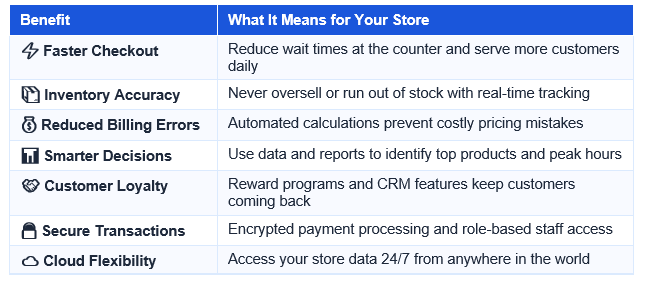
Key Features of the Best Retail POS Billing Software

1. Fast & Accurate Billing

  • One-click billing for faster checkout
  • Barcode scanning to eliminate manual entry errors
  • Multiple payment options: cash, card, UPI, wallets
  • Auto tax (GST/VAT) calculation on every invoice

2. Real-Time Inventory Management

  • Automatic stock deduction after every sale
  • Low-stock alerts to prevent out-of-stock situations
  • Multi-location and multi-warehouse inventory tracking
  • Product variant management (size, color, weight)

3. Customer Relationship Management (CRM)

  • Customer purchase history and profiles
  • Loyalty points and reward programs
  • SMS and email marketing integrations
  • Personalized discounts and offer management

4. Advanced Reporting & Analytics

  • Daily, weekly, and monthly sales reports
  • Best-selling product analysis
  • Staff performance and shift reports
  • Profit and loss dashboards at a glance

5. Multi-Store & Cloud-Based Access

  • Manage multiple store branches from one dashboard
  • Cloud-based data backup for security
  • Access your business data remotely from any device
  • Offline mode to keep billing running without the internet

Top Benefits of Using Retail POS Billing Software

POS billing software

Who Needs Retail POS Billing Software?

The retail point of sale billing software (Point of Sale Billing Software) is a digital full-fledged system that processes all the retail transactions and store management functions. It is an implementation of an integrated system that does the payment, generates bills, tracks inventory, customer information, and generates real-time reports on the business replacing the traditional cash registers.
The current retail POS systems operate on tablets, desktops, and even smartphones – simplifying the billing process, improving its accuracy, and rendering it entirely paperless.
The POS billing software in retail is suitable in a broad spectrum of companies. The appropriate POS system fits your business whether you have a small business just beginning or you are operating a developing chain store.
Grocery stores and supermarkets.
• Dressmaking and clothing stores.
• Electronics and mobile phone stores.
• Pharmacy and medical stores
• Home furnishing and decor stores.
• Sports/ fitness equipment outlets.
• Multi-brand retailers/franchises.

How to Choose the Right Retail POS Billing Software

There are numerous POS billing retail software products available in the market and it may be difficult deciding on the best one. The following are the most critical considerations:
1. User-friendliness: Your employees must learn the software within a short time. Search intuitive interface and limited training.
2. Scalability: Select a system that can expand with business like one store to several stores.
3. Integration Capabilities: Have the POS integrated with your accounting systems, eCommerce platforms and payment gateways.
4. Customer Support: Choose a vendor with 24/7 services, onboarding and frequent updates to their software.
5. Pricing: Comparison between subscription and one-time licensing. Take into account the payback period.
6. Security & Compliance: Find GST/tax compliance, data encryption and user role-based access control.

Must-Have Features Checklist for Retail POS Software

Before making a purchase decision, verify that your chosen retail POS billing software includes:

  • ✅ Touchscreen-friendly billing interface
  • ✅ GST/tax-compliant invoice generation
  • ✅ Barcode and QR code scanner support
  • ✅ Real-time inventory with stock alerts
  • ✅ Customer loyalty and reward management
  • ✅ Multi-payment method support
  • ✅ Cloud backup and offline mode
  • ✅ Role-based employee access control
  • ✅ Detailed sales and profit analytics
  • ✅ Multi-store and multi-branch management

Conclusion: Upgrade to Smarter Retail Management Today

The right Retail POS billing software is the backbone of a successful modern store. From lightning-fast billing and real-time inventory to customer loyalty programs and in-depth analytics, a powerful POS system empowers you to focus on what matters most — growing your business and delighting your customers.

Don’t let outdated systems hold your store back. Invest in a feature-rich retail POS billing solution today and experience the difference seamless store management can make.

Frequently Asked Questions (FAQs)

Q1: What is retail POS billing software used for?

Retail POS billing software is used to process sales transactions, generate invoices, manage inventory, track customer data, and produce business reports — all from a single integrated platform.

Q2: Is cloud-based POS software better than on-premise?

Cloud-based retail POS billing software offers greater flexibility, remote access, automatic updates, and lower upfront costs. On-premise systems offer offline reliability but require more IT management.

Q3: Can retail POS billing software handle multiple stores?

Yes! Most modern retail POS billing software solutions include multi-store management features, allowing you to monitor inventory, sales, and staff across all your branches from a single dashboard.

Q4: How much does retail POS billing software cost?

Pricing varies by provider. Monthly subscriptions typically range from ₹500 to ₹5,000+ depending on features and the number of users or locations. Many providers also offer free trials.

GST Billing Software

All-in-One Billing Software for Growing Businesses

Create invoices, Automate billing, manage invoices, and get paid faster with a secure cloud-based solution.

Cloud-Based E-Invoicing Software in Pune – The Smart Way to Simplify GST Billing

Cloud-Based E-Invoicing Software in Pune

Cloud-Based E-Invoicing Software in Pune – The Smart Way to Simplify GST Billing

Cloud-Based E-Invoicing Software in Pune

The businesses in Pune today are quickly moving to automation in the fast-paced digital economy. You have just made the right step towards smarter, faster, and GST-compliant billing in Pune, in case you need cloud-based e-invoicing software. The conventional billing systems are cumbersome, prone to errors and hard to control. A cloud solution is the latest tool that assists a business to create invoices, handle GST, and monitor the payments in real time all at any place.

What is Cloud-Based E-Invoicing Software?

Cloud-based e-invoicing software in  pune  is web-based billing software that enables companies to:
• Produce GST compliant invoices.
 • Make IRN (Invoice Reference Number) automatically.
 • Generate e-way bills
• Safe-store invoice information on the cloud.
• Billing data is always available everywhere.
Cloud software does not involve a lot of installations or manual upkeep as opposed to offline billing systems. All these are controlled safely on the internet.

Why Businesses in Pune Need Cloud-Based E-Invoicing Software

Pune is an emerging business centre to which are start-ups, SMEs, wholesalers, retailers, and manufacturers. Growth can be slowed down with manual billing.

This is why companies are moving towards e-invoicing software based on cloud computing in Pune:

1️⃣ GST Compliance Made Easy

Automatic GST calculation, tax reports, and real-time compliance reduce the risk of penalties.

2️⃣ Anytime, Anywhere Access

Whether you’re in your office, warehouse, or traveling — access invoices securely from any device.

3️⃣ Faster Billing Process

Generate professional invoices in seconds and share them instantly via email or WhatsApp.

4️⃣ Secure Data Storage

Cloud technology ensures encrypted data protection and automatic backups.

5️⃣ Real-Time Reports & Insights

Track sales, pending payments, and revenue performance with a smart dashboard.

Key Features to Look for in Cloud-Based E-Invoicing Software in Pune

When settling on the best solution, ensure that it comprises:
• ✔️ Automated e-invoice.
• ✔️ E-way bill integration
• ✔️ GST-ready invoice templates
• ✔️ Multi-user access
• ✔️ Payment tracking system
• ✔️ Mobile-friendly dashboard
• ✔️ Accounting software integration.

No matter your business size, cloud e-invoicing improves billing accuracy. Learn more about Invoiso.ai and how we help Pune businesses go digital.”

Benefits for SMEs and Startups in Pune

The cloud billing software is most helpful to small and medium businesses:
• Reduced operational costs
• Better management of cash flow.
• Less paperwork
• Higher productivity
Better customer experience Automation enables the business owners to concentrate in expansion rather than manual billing.

Why Choose Invoiso.ai for Cloud-Based E-Invoicing Software in Pune?

Looking to find a reputable e-invoicing software on the cloud in Pune then Invoiso.ai can offer:

  • Artificial intelligence-based invoice automation.
  • Lockdown cloud infrastructure.
  • Real-time GST compliance
  • Easy e-way bill generation
  • Easy and convenient interface.
  • Low prices on new businesses and SMEs.

It is designed to assist Pune businesses to digitize billing operations in a fast and efficient way.

Who Can Use Cloud-Based E-Invoicing Software?

  • Retailers
  • Wholesalers
  • Distributors
  • Manufacturers
  • Service providers
  • Freelancers
  • Startups

No matter your business size, cloud e-invoicing improves billing accuracy and efficiency.

“…a cloud solution is the latest tool that assists a business to create invoices, handle GST, and monitor payments in real time — and with affordable pricing plans, it’s accessible for every business size.”

Conclusion

The selection of an appropriate e-invoicing software in the cloud in Pune is capable of changing the way you run your business. Cloud technology simplifies and makes billing easy and powerful through GST compliance, faster payments and real-time analytics.

To have a billing system that is automated, to minimize errors, and to ensure you remain GST compliant, it is the best time to make a switch to a cloud-based platform.

“It is the best time to make a switch to a cloud-based platform. Get in touch with our team to get started today.”

Q1. What is cloud-based e-invoicing software in Pune?

Cloud-based e-invoicing software in Pune is an online billing tool that helps businesses generate GST-compliant invoices, create IRNs, and manage e-way bills — accessible from any device, anytime.

Q2. Why do Pune businesses need e-invoicing software?

Pune businesses need e-invoicing software to automate GST billing, reduce errors, stay tax-compliant, and speed up payments — saving time and operational costs.

Q3. Is cloud e-invoicing software GST compliant in India?

Yes. Cloud e-invoicing software like Invoiso.ai automatically calculates GST, generates IRNs, and ensures real-time compliance with Indian tax regulations.

Q4. Which is the best cloud-based e-invoicing software in Pune?

Invoiso.ai is a top cloud-based e-invoicing software in Pune, offering AI-powered invoice automation, GST compliance, e-way bill generation, and affordable plans for SMEs and startups.

Create Smart Invoices in Seconds

 Create professional invoices in seconds fast, accurate, and made for your business.

Best Automated GST Billing Software for SMEs in India (2026)

Automated GST Billing Software

Best Automated GST Billing Software for SMEs in India (2026)

Automated GST Billing Software

Manual GST billing should not be among the challenges of running a small or medium-sized business in India. In fact, whether you
are a retailer, restaurant owner, freelancer, or startup founder, staying GST-compliant while remaining fast and accurate is
non-negotiable. As a result, by 2026, automated GST billing software has become the backbone of lean Indian SMEs. Moreover,
these platforms eliminate manual data entry, reduce errors, and ensure businesses get paid faster. In this guide, therefore, we
break down everything you need to know — what it is, why your business needs it, and which solution is best for Indian SMEs.

What is Automated GST Billing Software?

An automated GST billing software is a web based software thatentirely manages your invoicing. Unlike orthodox billing software, however, automated systems are.
operated by artificial intelligence and smart processes. For example, they can populate customer details, propose repeat orders on the basis of.
history, and calculate GST of various tax slabs. Additionally,they generate and mail invoices in seconds and automatically.
follow up on unpaid dues. This consequently reduces the amount spent by Indian SMEs.time wastage in documents and additional time expanding their business.

The automated GST billing software is a Web-based application where your whole invoicing and billing process are done automatically, including invoice preparation that will be GST compliant, invoice payments, and tax summary without any manual work. In comparison with conventional billing applications, automated platforms are powered by AI and intelligent workflow to:
 • Automobile fill-in customer information and product specifications.
• Recommend repeat orders: Enterprise history.
• Auto computation of GST at various tax slabs.
 • Create and send invoices within a few seconds.
• Automatically remind about payment.
• Real time syncing with your accounting software.
In the case of Indian SMEs, it translates into a reduced amount of time spent in the paperwork and more time spent in expanding the business.

Why Do Indian SMEs Need Automated GST Billing?

The Goods and Services Tax (GST) system in India mandates that businesses keep accurate invoice records and submit returns periodically. Additionally, the requirements for e-invoicing are growing quickly. As a result, non-compliance can lead to penalties, disallowed Input Tax Credit (ITC) claims, and complications during audits. For these reasons, relying on manual billing is no longer practical for small and medium-sized enterprises (SMEs) that are looking to grow.

1. Manual Billing is Time-Consuming

2. Human Errors are Costly

3. GST Compliance is Getting Stricter

E-invoicing has become mandatory on businesses exceeding some turnover limits and e-way bills on the movement of goods, businesses require software that will automatically adjust with the changes.

4. Payment Follow-Ups are Neglected

Key Features to Look for in Automated GST Billing Software

Not all billing software is created equal. Here are the must-have features for any Indian SME in 2026:
Feature Why It Matters

Feature

Why It Matters

GST-Compliant Invoicing

Auto-calculates CGST, SGST, IGST based on transaction type

AI-Powered Suggestions

Recommends products based on customer order history

E-Invoicing & E-Way Bill

Mandatory for eligible businesses under GST rules

Real-Time Payment Tracking

Know instantly who has paid and who hasn’t

Accounting Integration

Syncs invoicing data directly with your accounts

Cloud-Based Access

Access billing from anywhere — desktop or mobile

One-Click Recurring Orders

Complete repeat orders in seconds, not minutes

Automated Payment Reminders

Reduce outstanding dues with zero manual effort

Multi-Business Support

Manage multiple outlets or GST registrations in one platform

Free to Use

No upfront cost — ideal for budget-conscious SMEs

Best Automated GST Billing Software for SMEs in India: Invoiso

Why Invoiso is the Best Choice for Indian SMEs


Invoiso vs Traditional Billing Software: A Quick Comparison

Feature

Invoiso (AI-Powered)

Traditional Software

Invoice Generation

Seconds (AI-assisted)

Minutes (manual)

Customer Identification

Intelligent auto-detect

Manual search

Product Selection

AI cart suggestions

Manual lookup

GST Calculation

Automatic

Semi-automatic

E-Invoicing

Built-in

Add-on / Extra cost

Payment Reminders

Automated

Manual follow-up

Accounting Sync

Real-time

Periodic export

Price

Free for SMEs

Paid subscriptions

Training Required

No — intuitive UI

Requires training

Error Detection

AI anomaly detection

Manual review

Who Should Use Automated GST Billing Software?


How to Get Started with Automated GST Billing Software

Installation of Invoiso is extremely easy. This is how you can take zero to send your first GST invoice in less than half an hour:
1. Go to invoiso.ai and press on Start Free Trial.
2. Add your business name, GSTIN and log on your logo.
3. Enter your products/services using the HSN codes and GST rates.
4. Make your first GST invoice – auto-filled with your details of the business.
5. Share immediately through WhatsApp, email or PDF.

Conclusion

Automated GST billing is no longer a luxury — it is a necessity for every Indian SME that wants to stay competitive, compliant, and cash-flow positive in 2026.

Invoiso stands out as the smartest, most affordable, and most AI-powered GST billing solution available for Indian businesses today. With its intelligent INVI+ assistant, one-click recurring orders, real-time accounting sync, and full GST compliance — it is the billing platform that grows with your business.

Frequently Asked Questions

Is Invoiso really free for SMEs?

Yes! Invoiso offers a free tier with all core invoicing and billing features — ideal for small businesses and startups getting started with GST billing.

Does Invoiso support e-invoicing under GST?

Absolutely. Invoiso has built-in e-invoicing support and e-way bill generation to keep your business compliant with all GST mandates.

How does the INVI+ AI assistant work?

INVI+ learns your customers' purchase patterns over time and automatically suggests the right products at checkout. This dramatically reduces billing time and eliminates the need to search for products manually.

Is Invoiso suitable for restaurants and retail shops?

Yes — Invoiso is purpose-built for a wide range of Indian businesses including restaurants, retail shops, franchises, POS outlets, and service businesses.

Create Smart Invoices in Seconds

 Create professional invoices in seconds fast, accurate, and made for your business.

What Is Cloud Billing Software for Businesses? Complete Guide (2026)

What Is Cloud Billing Software for Businesses? Complete Guide (2026)

In today’s digital world, managing invoices manually is time-consuming and error-prone. That’s why more companies are switching to Cloud Billing Software for Businesses to automate invoicing, track payments, and stay tax-compliant.

In this complete 2026 guide, we’ll explain what cloud billing software is, how it works, its benefits, features, and how to choose the right solution for your business.

What Is Cloud Billing Software for Businesses?

Cloud Billing Software for Businesses is an online invoicing and billing system hosted on cloud servers. Unlike traditional desktop software, it does not require installation on a specific computer. You can access it anytime, anywhere using the internet.

It helps businesses:

  • Create and send professional invoices
  • Track payments in real time
  • Automate recurring billing
  • Manage GST and tax compliance
  • Generate financial reports

Because it is cloud-based, your data is securely stored online and automatically backed up.

How Does Cloud Billing Software Work?

Cloud billing software works through a web-based platform or mobile app. Here’s how it typically functions:

  1. Create Invoice – Enter customer details, products/services, taxes.
  2. Send Invoice – Share via email, WhatsApp, or download PDF.
  3. Track Payments – Monitor paid, unpaid, and overdue invoices.
  4. Automate Reminders – Send automatic payment reminders.
  5. Generate Reports – Access sales, tax, and revenue reports instantly.

Modern platforms like AI-powered systems even automate data entry and error detection.

Key Features of Cloud Billing Software for Businesses

When choosing a cloud billing solution, look for these important features:

✅ 1. Online Invoice Creation

Create GST-compliant and professional invoices in seconds.

✅ 2. Automated Billing & Recurring Invoices

Perfect for subscription-based businesses.

✅ 3. GST & Tax Compliance

Supports GST filing, e-invoicing, and tax calculation.

✅ 4. Real-Time Payment Tracking

Know which invoices are paid, pending, or overdue.

✅ 5. Multi-User Access

Allow your team or accountant to access the system securely.

✅ 6. Cloud Data Backup & Security

Your financial data is encrypted and automatically backed up.

✅ 7. AI Automation (Advanced Feature)

AI-powered tools can auto-fill invoice data, detect errors, and suggest tax classifications.

Benefits of Cloud Billing Software for Businesses

Here’s why businesses are rapidly adopting cloud billing solutions in 2026:

🚀 Saves Time

No more manual invoice writing or Excel sheets.

💰 Reduces Errors

Automatic tax calculations minimize mistakes.

📊 3. Improves Cash Flow

Automated reminders ensure faster payments.

🌍 4. Access from Anywhere

Work remotely from mobile, laptop, or tablet.

📈 5. Scalable for Growth

Easily handle more customers as your business grows.

Who Should Use Cloud Billing Software?

Cloud Billing Software for Businesses is ideal for:

  • Small and Medium Businesses (SMEs)
  • Startups
  • Retail stores
  • Freelancers
  • Service providers
  • Restaurants
  • E-commerce sellers

If you send invoices regularly, cloud billing software can simplify your operations.

How to Choose the Right Cloud Billing Software for Your Business

Before selecting a platform, check:

  • Is it GST compliant?
  • Does it support automation?
  • Is data secure?
  • Does it offer reporting & analytics?
  • Can it integrate with accounting software?
  • Is pricing affordable?

Choosing a scalable and AI-powered solution gives long-term benefits.

Future of Cloud Billing Software in 2026

The future of Cloud Billing Software for Businesses includes:

  • AI-driven automation
  • Predictive payment reminders
  • Smart tax classification
  • Real-time financial analytics
  • Full integration with banking systems

Businesses that adopt smart billing tools will gain a competitive advantage.

Conclusion

In 2026, adopting Cloud Billing Software for Businesses is no longer optional — in fact, it’s essential. Not only does it save time, but it also reduces manual work, improves cash flow, and ensures tax compliance. As a result, businesses can operate more efficiently and focus on growth instead of paperwork.

Whether you run a startup or a growing enterprise, switching to a cloud-based billing system can streamline your entire financial process. Moreover, it allows you to access your billing data anytime and anywhere. Therefore, decision-making becomes faster, smarter, and more data-driven.

FAQ

1. Is cloud billing software safe?

Yes, most platforms use encrypted servers and secure cloud storage.

2. Can small businesses use cloud billing software?

Absolutely. It is especially useful for SMEs and startups.

3. Does cloud billing software support GST?

Yes, most Indian solutions provide GST-compliant invoicing and reports.

4. What is the difference between invoicing and billing software?

Invoicing software focuses on creating invoices, while billing software may include payment tracking, reporting, and automation.

Best GST Billing Software for SMEs – Simple, Smart & GST-Compliant

Best GST Billing Software for SMEs

Best GST Billing Software for SMEs – Simple, Smart & GST-Compliant

Best GST Billing Software for SMEs

Running a small or medium-sized business in India comes with many responsibilities, and GST compliance is one of the most important. Manual billing, spreadsheet-based invoices, and error-prone calculations can quickly lead to delays, penalties, and lost productivity. That’s why choosing the best GST billing software for SMEs is no longer optional—it’s essential for smooth business operations and growth.

Why SMEs Need GST Billing Software

SMEs handle multiple transactions every day, from sales invoices to purchase records and tax filings. Managing all this manually can be time-consuming and risky. A modern GST billing solution helps businesses:


  • Generate accurate GST-compliant invoices
  • Reduce human errors in tax calculations
  • Save time with automation
  • Stay compliant with changing GST rules

The right software allows SMEs to focus more on growth and customers, instead of paperwork.

What Makes the Best GST Billing Software for SMEs?


The right software allows SMEs to focus more on growth and customers, instead of paperwork.

What Makes the Best GST Billing Software for SMEs?

Not all billing tools are built for small and medium businesses. The best GST billing software for SMEs should be easy to use, affordable, and powerful enough to handle compliance without complexity.

What Makes the Best GST Billing Software for SMEs?

Not all billing tools are built for small and medium businesses. The best GST billing software for SMEs should be easy to use, affordable, and powerful enough to handle compliance without complexity.

1. Easy & User-Friendly Interface

SME owners and staff may not be accounting experts. A clean, intuitive dashboard makes invoice creation, customer management, and report generation simple—even for first-time users.

2. Complete GST Compliance

The software must support:

  • GST-compliant invoices (CGST, SGST, IGST)
  • HSN/SAC codes
  • E-invoicing and e-way bills (where applicable)
  • Regular updates as per GST law changes

This ensures your business stays compliant without extra effort.

3. Automation That Saves Time

Automation is a game-changer for SMEs. Features like auto tax calculation, recurring invoices, smart product selection, and automated payment reminders reduce manual work and improve efficiency.

4. Payment Tracking & Cash Flow Visibility

The best GST billing software for SMEs helps track paid and unpaid invoices in real time. This improves cash flow management and reduces follow-ups with customers.

5. Cloud-Based Access

Cloud billing software allows you to access data anytime, anywhere. Whether you’re in the office or on the move, your invoices, reports, and customer data are always available and secure.

6. Smart Reports & Business Insights

GST reports, sales summaries, tax liability reports, and real-time analytics help SME owners make informed decisions and plan growth better.

Benefits of Using the Best GST Billing Software for SMEs

When SMEs adopt the right GST billing solution, they experience:

  • Faster invoice generation
  • Accurate tax filing and fewer compliance issues
  • Improved productivity and reduced operational costs
  • Better customer experience with professional invoices
  • Clear financial visibility for smarter decisions

How AI-Powered Billing Adds More Value

Modern billing platforms now use AI-powered features to go beyond basic invoicing. AI helps in detecting errors, offering intelligent insights, predicting cash flow trends, and simplifying complex billing workflows. This makes billing smarter, not harder.

Choosing the Right Solution for Your SME

Before selecting a GST billing tool, SMEs should consider:

  • Ease of use
  • GST and compliance coverage
  • Automation and AI capabilities
  • Scalability as the business grows
  • Reliable support and data security

A solution that combines simplicity, smart automation, and compliance truly stands out as the best GST billing software for SMEs.

Conclusion

In today’s competitive and compliance-driven environment, SMEs need more than just basic billing tools. They need a simple, smart, and GST-compliant solution that grows with their business. Investing in the best GST billing software for SMEs not only ensures stress-free compliance but also improves efficiency, cash flow, and decision-making.

Create Smart Invoices in Seconds

 Create professional invoices in seconds fast, accurate, and made for your business.

1. What is GST billing software for SMEs?

GST billing software is a digital tool that helps small and medium businesses create GST-compliant invoices, calculate taxes (CGST/SGST/IGST), manage records, and stay updated with GST regulations. It simplifies everyday billing tasks so you spend less time on paperwork and more on growth.

2. Why does my business need GST billing software?

SMEs deal with many sales, purchases, and tax filings every day. Manual invoicing and spreadsheets are time-consuming and error-prone. GST billing software automates tax calculations, boosts accuracy, improves compliance, and saves time — making your business more efficient and audit-ready.

3. Is GST billing software different from regular invoicing software?

Yes. GST billing software isn’t just for creating bills — it’s built to handle GST compliance. That includes correct tax calculation, HSN/SAC codes, automatic tax updates, e-invoice support, and GST reporting features.

4. What features should I look for in GST billing software?

A good GST billing tool typically offers:
✔ GST-compliant invoice creation (with tax breakdown)
✔ HSN/SAC code support
✔ e-invoice & e-way bill integration (if applicable)
✔ Auto tax calculation & updates
✔ Cloud access (access anywhere)
✔ Dashboard and reports for sales, taxes, and cash flow insights.

5. Can GST billing software help with GST return filing?

Many tools automatically prepare GST reports and summaries that make filing returns faster and more accurate. Some can even export data to the GST portal formats, reducing mistakes and saving time.

6. How does the software ensure GST compliance?

The software includes GST rule updates, auto tax calculations, correct HSN/SAC classifications, and e-invoice/e-way bill generation (where required), so your invoices and reports meet government standards.

7. Is GST billing software easy to use for non-accountants?

Yes — modern solutions are designed with simple interfaces for business owners and staff without accounting expertise. Most let you create professional GST invoices in a few clicks.

8. Can I access my billing software on mobile or on the cloud?

Many GST billing tools are cloud-based, letting you access invoices, reports, and customer data from any device — desktop, tablet, or mobile.

9. Does GST billing software help track payments & cash flow?

Yes — advanced GST billing solutions track paid vs unpaid invoices, monitor customer payments, and give insights into your cash flow so you can manage collections better.

10. Are there free or trial versions available?

Some providers offer free plans or trials so you can test features like GST invoice creation, tax reporting, and payment tracking before deciding on a paid subscription.

AI Billing Software for Small Businesses | Fast & GST-Ready

AI Billing Software for Small Businesses | Fast & GST-Ready

In today’s fast-moving digital economy, small businesses need tools that are not only efficient but also intelligent. Manual billing, spreadsheet-based invoicing, and traditional accounting methods often slow down growth and increase the risk of errors. This is where AI billing software becomes a game-changer—especially for GST-ready businesses looking to scale faster and smarter.

What Is AI Billing Software?

AI billing software is an advanced invoicing and accounting solution that uses artificial intelligence to automate billing processes, manage taxes, analyze transactions, and generate real-time business insights. Unlike traditional systems, AI-powered platforms learn from user activity and continuously improve accuracy, speed, and usability.

For small businesses, this means less manual work, fewer mistakes, and more time to focus on customers and growth.

Why Small Businesses Need Fast & GST-Ready Billing

GST compliance is non-negotiable. Filing errors, delayed invoices, or incorrect tax calculations can lead to penalties and cash-flow issues. AI-driven billing systems are designed to handle these challenges effortlessly.

Key benefits include:

  • Automated GST calculations and tax summaries
  • Real-time invoice generation
  • Error reduction through intelligent validation
  • Faster billing cycles and improved cash flow

With built-in compliance, businesses stay audit-ready without additional effort.

How AI Improves Billing Through User Activity

One of the biggest strengths of AI billing software is its ability to understand and analyze user activity. Every action—creating invoices, editing customer details, tracking payments—helps the system become smarter.

AI uses user activity to:

  • Predict frequent billing patterns
  • Suggest invoice templates based on past usage
  • Flag unusual transactions
  • Optimize workflows for faster operations

This adaptive intelligence ensures the software evolves alongside your business needs.

Smart Content Management for Better Billing

Modern billing platforms are no longer limited to invoices alone. They manage critical content such as customer data, product catalogs, tax rules, and financial reports in one centralized system.

Benefits of intelligent content handling:

  • Organized and searchable billing records
  • Secure storage of invoices and tax documents
  • Easy access to reports for decision-making
  • Consistent branding across all invoices

When billing content is structured and automated, businesses gain clarity and control over their finances.

Real-Time Insights for Better Decisions

AI billing software goes beyond basic invoicing by providing real-time dashboards and analytics. These insights help business owners understand revenue trends, payment delays, and tax liabilities instantly.

With data driven by user activity and transactional content, small businesses can make faster, more confident decisions without relying on external accountants for every report.

Cloud-Based, Secure, and Scalable

Most AI billing solutions are cloud-based, allowing businesses to access their data anytime, anywhere. Security protocols, regular backups, and encrypted content storage ensure financial data remains protected.

As your business grows, the same platform scales effortlessly—no new systems, no complex migrations.

Conclusion

For small businesses aiming to stay competitive, compliant, and efficient, AI billing software is no longer optional—it’s essential. By intelligently analyzing user activity and managing billing content in real time, AI-powered systems simplify operations and unlock smarter growth.ulvinar dapibus leo.

Create Smart Invoices in Seconds

 Create professional invoices in seconds fast, accurate, and made for your business.

1. Automated, GST-Compliant Invoicing & Faster Billing
  • Automatically calculates GST (CGST/SGST/IGST) and tax summaries to keep your invoices audit-ready and compliant with Indian tax rules.

  • Generate professional invoices in seconds, reducing manual work and speeding up billing cycles — helping cash flow improve.

2. AI-Powered Automation and Error Reduction
  • AI learns from your usage to predict patterns, validate entries, and flag mistakes, which reduces human errors in billing and tax calculations.

  • Features like smart item selection, automated reminders, recurring billing suggestions, and intelligent data capture significantly cut down repetitive tasks.

3. Real-Time Insights, Tracking & Cloud Access
  • Instant dashboards and real-time payment tracking help you monitor revenue, outstanding payments, and business performance without manual reconciliation.

  • Cloud-based access lets you manage billing from any device (phone, laptop) anytime, ensuring your data is always up-to-date and secure.

Best Billing Software with Payment Tracking for Startups and SMEs

Best Billing Software Startups and SMEs

Best Billing Software with Payment Tracking for Startups and SMEs

Best Billing Software Startups and SMEs

Startups and small businesses operate in a fast-paced environment where every payment counts. Managing invoices manually or tracking payments through spreadsheets often results in errors, delays, and cash-flow problems. That’s why choosing the best billing software   startups and SMEs with payment tracking is no longer optional—it’s a business necessity. In this blog, we’ll explore how billing software with payment tracking works, why it’s essential for startups and SMEs, and how it supports efficient business growth. 

What Is Billing Software with Payment Tracking?

Billing software with payment tracking is a digital solution that enables businesses to create invoices, send them to customers, and automatically track payments from a single platform. It records when invoices are generated, when payments are received, and which invoices remain unpaid or overdue.

Instead of manually following up with clients, businesses gain real-time visibility into their billing and payment status, making financial management more efficient.

However, startups and SMEs operate in a fast-paced environment. As a result, billing errors can directly affect cash flow.

Why Startups and SMEs Need Billing Software with Payment Tracking

Startups and SMEs typically operate with limited resources and tight budgets. Even small payment delays can disrupt daily operations. Billing software with payment tracking provides clarity, control, and reliability.
First, automated invoice creation saves time. Additionally, real-time payment tracking improves financial visibility.

Key Reasons to Use Billing Software:

  • Avoid missed or late payments
  • Improve cash-flow visibility
  • Save time on manual billing tasks
  • Maintain accurate and professional records
  • Reduce accounting and reconciliation errors

With automated payment tracking, business owners can focus on growth rather than chasing unpaid invoices.

Key Features of the Best Billing Software with Payment Tracking

When selecting billing software, startups and SMEs should look for these essential features:

1. Automated Invoice Creation

Generate professional invoices quickly with taxes, discounts, and due dates included.

2. Real-Time Payment Tracking

Instantly view the status of invoices—paid, unpaid, overdue, or partially paid.

3. Multiple Payment Options

Support for UPI, bank transfers, cards, and digital wallets makes it easier for customers to pay on time.

4. Payment History and Reports

Access detailed reports to support accounting, budgeting, and financial planning.

5. Automated Payment Reminders

Automatic reminders help reduce late payments without the need for manual follow-ups.

Benefits of Billing Software with Payment Tracking for Small Businesses

Improved Cash Flow

Clear and accurate payment tracking ensures you always know how much money is coming in and when.

Better Decision-Making

Reliable billing data helps business owners make informed financial and strategic decisions.

Professional Image

Well-designed invoices and transparent payment records enhance credibility and client trust.

Scalable Growth

As your business grows, billing software scales effortlessly without increasing administrative workload.

How Billing Software with Payment Tracking Saves Time and Money

Manual billing processes are time-consuming and prone to errors. Billing software automates repetitive tasks such as invoice generation, payment status updates, and reminder notifications. This significantly reduces administrative costs and frees up valuable time.

Over time, faster payments and fewer errors lead to improved profitability and operational efficiency.

Who Should Use Billing Software with Payment Tracking?

This solution is ideal for:

  • Startups
  • Small and medium enterprises (SMEs)
  • Freelancers and consultants
  • Service-based businesses
  • Agencies and online sellers

If your business sends invoices and collects payments, billing software with payment tracking is essential.

How to Choose the Right Billing Software with Payment Tracking

Before selecting a billing solution, consider the following factors:

  • Ease of use
  • Cloud access and data security
  • Tax and co

Startups and small businesses operate in a fast-paced environment where every payment counts. Managing invoices manually or tracking payments through spreadsheets often results in errors, delays, and cash-flow problems. That’s why choosing the best billing software with payment tracking is no longer optional—it’s a business necessity.

In this blog, we’ll explore how billing software with payment tracking works, why it’s essential for startups and SMEs, and how it supports efficient business growth.

What Is Billing Software with Payment Tracking?

Billing software with payment tracking is a digital solution that enables businesses to create invoices, send them to customers, and automatically track payments from a single platform. It records when invoices are generated, when payments are received, and which invoices remain unpaid or overdue.

Instead of manually following up with clients, businesses gain real-time visibility into their billing and payment status, making financial management more efficient.

Why Startups and SMEs Need Billing Software with Payment Tracking

Startups and SMEs typically operate with limited resources and tight budgets. Even small payment delays can disrupt daily operations. Billing software with payment tracking provides clarity, control, and reliability.

Key Reasons to Use Billing Software:

  • Avoid missed or late payments
  • Improve cash-flow visibility
  • Save time on manual billing tasks
  • Maintain accurate and professional records
  • Reduce accounting and reconciliation errors

With automated payment tracking, business owners can focus on growth rather than chasing unpaid invoices.

Key Features of the Best Billing Software with Payment Tracking

When selecting billing software, startups and SMEs should look for these essential features:

1. Automated Invoice Creation

Generate professional invoices quickly with taxes, discounts, and due dates included.

2. Real-Time Payment Tracking

Instantly view the status of invoices—paid, unpaid, overdue, or partially paid.

3. Multiple Payment Options

Support for UPI, bank transfers, cards, and digital wallets makes it easier for customers to pay on time.

4. Payment History and Reports

Access detailed reports to support accounting, budgeting, and financial planning.

5. Automated Payment Reminders

Automatic reminders help reduce late payments without the need for manual follow-ups.

Benefits of Billing Software with Payment Tracking for Small Businesses

Improved Cash Flow

Clear and accurate payment tracking ensures you always know how much money is coming in and when.

Better Decision-Making

Reliable billing data helps business owners make informed financial and strategic decisions.

Professional Image

Well-designed invoices and transparent payment records enhance credibility and client trust.

Scalable Growth

As your business grows, billing software scales effortlessly without increasing administrative workload.

How Billing Software with Payment Tracking Saves Time and Money

Manual billing processes are time-consuming and prone to errors. Billing software automates repetitive tasks such as invoice generation, payment status updates, and reminder notifications. This significantly reduces administrative costs and frees up valuable time.

Over time, faster payments and fewer errors lead to improved profitability and operational efficiency.

Who Should Use Billing Software with Payment Tracking?

This solution is ideal for:

  • Startups
  • Small and medium enterprises (SMEs)
  • Freelancers and consultants
  • Service-based businesses
  • Agencies and online sellers

If your business sends invoices and collects payments, billing software with payment tracking is essential.

How to Choose the Right Billing Software with Payment Tracking

Before selecting a billing solution, consider the following factors:

  • Ease of use
  • Cloud access and data security
  • Tax and compliance support
  • Reporting and analytics capabilities
  • Availability of customer support

Choosing the right software ensures long-term efficiency and smooth financial management.

Conclusion

For startups and SMEs, efficient invoice and payment management can be the difference between success and struggle. The best billing software with payment tracking simplifies invoicing, improves cash flow, and provides complete financial visibility.

By adopting modern billing software, businesses can reduce stress, increase transparency, and confidently focus on scaling their operations.

1. What is an invoice?

An invoice is a document sent by a seller to a customer requesting payment for goods or services provided.


2. What information should an invoice include?

An invoice usually includes:

  • Invoice number

  • Invoice date & due date

  • Seller’s name, address, and contact details

  • Customer’s details

  • Description of goods/services

  • Quantity and price

  • Taxes (if applicable)

  • Total amount payable

  • Payment terms and methods

3.Can invoices include taxes and discounts?

Absolutely. Taxes, discounts, shipping charges, and additional fees can be added automatically.

Create Smart Invoices in Seconds

 Create professional invoices in seconds fast, accurate, and made for your business.

Manage Your Entire Business Day Seamlessly with Invoiso – Smart GST Billing Software

GST Billing Software

Manage Your Entire Business Day Seamlessly with Invoiso – Smart GST Billing Software

GST Billing Software

Running a business efficiently requires more than just opening the shop and making sales. It demands continuous control over billing, payments, inventory, and operations throughout the day—and a structured closure at the end. In today’s fast-paced world, small business owners juggle multiple tasks, from serving customers to tracking finances, often leading to errors, backlogs, and stress. Invoiso is designed to support businesses at every stage of the day, from opening to closing, through a reliable and technology-driven platform. This cloud-based SaaS solution streamlines your entire business day, ensuring accuracy, real-time insights, and zero carry-forward headaches.

Whether you’re a retail shop in Narnaund, Haryana, or a growing distributor handling GST-compliant invoicing, Invoiso eliminates manual spreadsheets and fragmented apps. Let’s dive into how it transforms your daily workflow.

Start Your Day with Confidence Using Invoiso

Imagine unlocking your shop doors each morning without the dread of yesterday’s unresolved invoices or stock mismatches. With Invoiso, businesses can begin the day fully prepared. The platform enables smooth and accurate invoicing from the moment the shop opens. Sales, customer transactions, and operational activities are recorded in real time, ensuring complete visibility and control.

Key morning features include:

  • Instant Invoicing and Billing: Generate GST-ready invoices on the go via mobile or desktop. Customize templates for your brand, apply discounts, and track pending payments—all synced across devices.
  • Real-Time Inventory Tracking: Monitor stock levels as sales happen. Get alerts for low inventory, preventing overselling and helping you reorder seamlessly.
  • Customer Management Dashboard: Access a 360-degree view of customers, including purchase history, outstanding dues, and preferences. This lets your team upsell effectively from the first transaction.

This setup allows business owners and staff to focus on serving customers while Invoiso manages the backend processes efficiently. For example, a local grocery store owner using Invoiso reported cutting morning prep time from 45 minutes to under 10, thanks to automated sales logging and dashboard summaries. No more digging through paper receipts or WhatsApp chats—everything’s centralized and searchable.

Invoiso’s intuitive interface, compatible with WordPress sites and popular SEO tools like Yoast, also integrates with Google Search Console for easy business visibility. Start your day confident, knowing your data is accurate and actionable.

Power Through the Day with Seamless Operations

Midday chaos—peak sales, supplier deliveries, and unexpected payments—can derail even the best plans. Invoiso keeps you in control with tools built for high-volume operations. Handle everything from bulk billing to payment collections without missing a beat.

During business hours, leverage:

  • Multi-Channel Payments: Accept UPI, cards, cash, or bank transfers instantly. Invoiso auto-categorizes them, reducing reconciliation time later.
  • Distribution and Inventory Sync: For distributors, track goods movement across warehouses. Update stock in real-time as items ship, with automated purchase orders for suppliers.
  • Expense and Vendor Tracking: Log daily outflows effortlessly, linking them to specific sales or projects for precise profitability analysis.

Real-time reporting dashboards provide snapshots of cash flow, top-selling items, and daily targets. If you’re optimizing for SEO in the billing software space, Invoiso’s analytics help identify trends—like which products drive repeat sales—fueling data-driven marketing content for your site.

Users love how it scales: A small manufacturing unit in Haryana scaled from 50 to 200 daily invoices without hiring extra staff, thanks to Invoiso’s automation. This isn’t just software; it’s your virtual operations manager, ensuring smooth midday momentum.

End Your Day with Complete Reconciliation

Closing the business day is just as critical as starting it. Invoiso simplifies end-of-day activities by offering comprehensive reconciliation features. All transactions are automatically tallied and verified, ensuring accuracy and transparency across the business.

Invoiso reconciles:

  • Cash transactions
  • Bank payments
  • Inventory movements
  • Operational records
  • Accounting entries
  • GST reports
  • Outstanding dues

Run a one-click “Day Close” report, and watch as the system cross-checks everything. Discrepancies? Invoiso flags them with drill-down details, like a mismatched cash entry or unlinked bank deposit. Generate GST-compliant summaries for filing, exportable to tools like Tally or QuickBooks.

This structured closing process ensures that all financial and operational data is aligned, eliminating discrepancies and reducing manual effort. No more late nights balancing books—complete closure in minutes.

No Backlogs, No Carry-Forward Errors

One of the biggest challenges businesses face is carrying unresolved data or mismatches into the next day. Unreconciled sales lead to inventory ghosts, tax filing nightmares, and cash flow blind spots. Invoiso addresses this by ensuring that every day is closed properly, with all records reconciled and accounted for.

How it works:

  1. Automated Alerts: Before closing, get notifications for open items like pending invoices or stock variances.
  2. Zero-Tolerance Checks: The system blocks incomplete closures, forcing resolution on the spot.
  3. Audit-Ready Logs: Every action is timestamped and traceable, perfect for compliance.

This prevents backlogs, minimizes errors, and allows the next business day to start on a clean and organized slate. Small businesses using Invoiso report 90% fewer month-end adjustments, freeing owners for growth instead of firefighting.

Conclusion

By managing the entire business lifecycle—from daily operations to final reconciliation—Invoiso empowers businesses to operate with accuracy, efficiency, and peace of mind. It transforms daily management into a streamlined process, helping businesses save time, reduce errors, and maintain full control over cash, banks, inventory, and operations.

1. What is Smart GST Billing Software?

Smart GST Billing Software is a cloud-based business tool that automates GST-ready invoicing, tax calculation, compliance tracking, inventory management, and reporting  helping businesses avoid errors and save time on day-to-day operations.

2. How does a Smart GST Billing Software help my business?

It simplifies tasks like creating GST invoices, tracking payments, managing stock, and preparing GST reports — so you can run your business smoothly and reduce billing or tax mistakes.

3. Is Invoiso GST-compliant for Indian businesses?

Yes. Invoiso generates GST-ready invoices, calculates tax automatically, and prepares data in formats ready for GST filing  making compliance easier for MSMEs and growing enterprises.

4. Does Smart GST Billing Software help with inventory tracking?

Invoiso tracks stock levels in real time, alerts you for low inventory, and syncs purchases and sales to help you manage inventory without manual spreadsheets.

Create Smart Invoices in Seconds

 Create professional invoices in seconds fast, accurate, and made for your business.

Why Small Businesses Need Billing Software

Small Businesses Need Billing Software

Why Small Businesses Need Billing Software

Small Businesses Need Billing Software

Running a small business is no easy task. From managing customers and tracking payments to handling taxes and maintaining cash flow, business owners juggle multiple responsibilities every day. In such a fast-paced environment, relying on manual billing methods or outdated spreadsheets can slow growth and increase errors. That’s exactly why small businesses need billing software today more than ever.

Modern billing software simplifies invoicing, automates calculations, improves accuracy, and helps businesses save both time and money. Let’s explore why billing software is no longer a luxury but a necessity for small businesses.

What Is Billing Software?

Billing software is a digital tool designed to create, manage, and track invoices and payments efficiently. It allows businesses to generate professional invoices, calculate taxes automatically, record transactions, and monitor payment status in real time.

For small businesses, billing software acts as a central system that keeps financial operations organized, transparent, and scalable.

Why Small Businesses Need Billing Software

1. Saves Time and Boosts Productivity

One of the biggest reasons small businesses need billing software is time savings. Manual invoicing involves repetitive tasks such as writing invoices, calculating totals, applying taxes, and tracking payments.

Billing software automates these processes. With just a few clicks, invoices can be created, sent, and recorded—allowing business owners to focus more on sales, customers, and growth rather than paperwork.

2. Reduces Billing Errors

Manual billing often leads to mistakes like incorrect calculations, missing tax details, or duplicate invoices. Even small errors can damage customer trust and cause financial losses.

Billing software ensures accuracy by:

  • Automatically calculating totals and taxes
  • Eliminating duplicate entries
  • Maintaining consistent invoice formats

This accuracy is a major reason why small businesses need billing software to operate professionally.

3. Improves Cash Flow Management

Healthy cash flow is crucial for small businesses. Delayed or missed payments can disrupt operations and limit growth.

Billing software helps by:

  • Tracking paid and unpaid invoices
  • Sending automated payment reminders
  • Providing clear payment status visibility

When payments are monitored properly, businesses get paid faster and manage cash flow more effectively.

4. Creates a Professional Business Image

First impressions matter. Handwritten or poorly formatted invoices can make a business appear unprofessional.

Billing software allows small businesses to:

  • Generate clean, branded invoices
  • Maintain consistency across all billing documents
  • Build trust with customers

A professional invoicing system shows customers that your business is organized and reliable.

5. Simplifies Tax Compliance

Tax compliance is often one of the biggest challenges for small businesses. Managing GST or other taxes manually increases the risk of miscalculations and penalties.

Billing software simplifies tax management by:

  • Automatically calculating applicable taxes
  • Generating tax-ready invoices
  • Storing records for easy filing

This is another strong reason why small businesses need billing software—to stay compliant without stress.

6. Easy Financial Tracking and Reporting

Understanding business performance is essential for decision-making. Billing software provides valuable insights through reports and dashboards.

With billing software, small businesses can:

  • Track sales trends
  • Monitor outstanding payments
  • Analyze customer purchasing behavior

Access to real-time financial data empowers smarter business decisions.

7. Supports Business Growth and Scalability

As a small business grows, billing needs become more complex. Managing higher invoice volumes manually is inefficient and risky.

Billing software scales effortlessly by:

  • Handling increased transactions
  • Supporting multiple customers and products
  • Adapting to business expansion

This flexibility makes billing software a long-term investment rather than a short-term solution.

8. Enhances Data Security and Backup

Paper invoices and spreadsheets can be lost, damaged, or accessed by unauthorized users.

Modern billing software offers:

  • Secure data storage
  • Cloud backups
  • Controlled access

For small businesses, protecting financial data is critical—and billing software ensures that security.

9. Enables Faster Payments

Billing software often integrates with digital payment options, making it easier for customers to pay quickly.

Faster payments mean:

  • Reduced payment delays
  • Improved customer convenience
  • Better cash flow

This convenience is a key reason small businesses need billing software in today’s digital economy.

10. Affordable and Cost-Effective

Many small business owners assume billing software is expensive. In reality, modern billing tools are highly affordable and offer great value.

By reducing errors, saving time, and improving efficiency, billing software actually lowers operational costs in the long run.

Why Choose Invoiso.ai for Your Small Business?

Invoiso.ai is designed specifically for small businesses looking for a fast, simple, and reliable billing solution. It helps businesses streamline invoicing, manage payments, and stay tax-ready—all from one easy-to-use platform.

With Invoiso.ai, small businesses can:

  • Create professional invoices in minutes
  • Track payments effortlessly
  • Manage billing without technical complexity

Conclusion

In today’s competitive market, efficiency and accuracy can make or break a small business. Manual billing methods are no longer practical for growing businesses that want to stay professional, compliant, and profitable.

Create Smart Invoices in Seconds

 Create professional invoices in seconds fast, accurate, and made for your business.

FAQ

1. What is billing software for small businesses?

Billing software is a digital tool that helps small businesses create, manage, and track invoices and payments more efficiently than manual methods.

2. Is billing software expensive for small businesses?

Many billing solutions are affordable and offer scalable pricing for small businesses, often saving money by reducing manual work and errors.

3 . Is billing software easy to use for non-technical users?

Modern billing tools are designed with simple interfaces so even non-technical small business owners can manage invoices easily.

4. Why do small businesses need billing software?

Small businesses need billing software to automate invoicing, reduce errors, save time, improve cash flow management, and maintain professional billing documents.

Chaos at the Counter ?: How Invoiso Transforms High-Volume Trader Operations for 1,000+ Daily Walk-In Orders

Cloud-Based Billing

Chaos at the Counter ?: How Invoiso Transforms High-Volume Trader Operations for 1,000+ Daily Walk-In Orders

Cloud-Based Billing

High-street traders and kirana store owners in bustling markets such as market yards or wholesaler hubs face a daily battleground right at their counters. Every day, with an average of nearly 1,000 walk-in customer orders, the pressure quickly becomes overwhelming. As a result, manual processes—scribbled order notes on loose chits, frantic inventory checks, haphazard dispatch packing, and error-prone deliveries—combine to create a perfect storm of chaos.

Moreover, these outdated methods trigger a series of recurring pain points. For instance, double-selling out-of-stock items often leads to heated customer arguments. At the same time, delayed dispatches cause congestion and foot-traffic jams inside already crowded stores. In addition, lost or misplaced delivery slips frequently result in incorrect orders reaching customers’ doorsteps, damaging trust. Meanwhile, end-of-day reconciliation becomes a never-ending task, consuming valuable hours that should be spent resting or with family.

Consequently, without a unified and reliable system, traders steadily lose sales and operational control. Over time, customer loyalty erodes, repeat business declines, and daily stress increases. Ultimately, instead of growing, these businesses remain stuck in survival mode, unable to scale, optimize operations, or confidently handle increasing demand.

The Invoiso Advantage: Cloud-Based Billing Built for Counter Warriors

Invoiso steps in as the process-driven, simple-UX cloud billing system designed specifically for high-volume counter sales in Indian retail environments. No complex setups or IT expertise required—deploy in minutes on any device with internet. The intuitive touchscreen dashboard mimics familiar paper flows but digitizes everything for speed and accuracy. Tailored for SMEs and kirana networks, Invoiso handles GST-compliant invoicing, multi-counter operations, and end-to-end order lifecycle without the “chaos” of traditional POS systems that overwhelm non-tech users.

Step-by-Step: Invoiso's Seamless Order-to-Delivery Workflow

Invoiso breaks down the entire process into foolproof, one-tap steps, ensuring zero bottlenecks even during peak hours.

Instant Order Capture

Real-Time Inventory Mastery

  • First, walk-in customers can approach any counter, and immediately, staff scan barcodes or search items by name or code within under two seconds. As a result, queues move faster and counter congestion is reduced.

  • Next, the system automatically populates customer details for repeat buyers using mobile numbers or loyalty IDs. At the same time, quantities, rates, discounts, and taxes are filled in seamlessly. Moreover, CGST, SGST, or IGST are calculated live based on the place of supply, ensuring accuracy without manual effort.

  • Then, Invoiso supports cash, UPI, card, or credit sales, and even allows split payments when needed. Consequently, instant digital receipts are generated and immediately shareable via WhatsApp or SMS. Ultimately, there are no more chit handovers, no calculation errors, and no checkout delays—just smooth, reliable billing every time.
  • Every order deducts stock instantly across all counters, preventing oversells and stockouts.
  • Live dashboards show exact quantities per location, with low-stock alerts pushed to mobile apps.
  • Batch-wise expiry tracking for FMCG items ensures FIFO dispatch, reducing waste by up to 30%. Multi-warehouse sync if the trader expands.

Effortless Dispatch and Packing

  • One-click “Ready for Dispatch” moves orders to a centralized queue visible on all counters.
  • Generates printable/digital packing slips with item lists, quantities, and delivery instructions.
  • Barcode labels for quick packing verification—packers scan to confirm, auto-updating status to avoid mix-ups.

Reliable Delivery and Tracking

  • Assign deliveries to riders via app with GPS routes and one-tap handover proofs.
  • Customers receive automated SMS updates: “Order packed,” “Out for delivery,” “Delivered” with photo proof.
  • Returns handled seamlessly with reverse vouchers updating inventory and accounts in real-time—no manual adjustments.

Tangible Results: From Chaos to Clockwork Efficiency

Traders adopting Invoiso report transformative gains:

  • 60% Faster Processing: Handle 1,000+ orders without queues, freeing staff for upselling.
  • 99% Inventory Accuracy: End-of-day stock matches physical counts, slashing reconciliation time from hours to minutes.
  • Zero Delivery Errors: Digital tracking boosts customer satisfaction, increasing repeat visits by 25-40%.
  • Scalable Growth: Cloud access from any counter, mobile, or home office—no servers or maintenance hassles. Add counters or branches effortlessly.
  • Financial Wins: GST reports auto-generate for GSTR-1/3B, reducing compliance stress. Margins improve via better stock control and fewer losses.

Real-world example: A Pimpri trader went from daily customer complaints to glowing reviews, scaling from 1,000 to 1,500 orders without extra staff. Invoiso turns counter chaos into a profit engine, empowering small traders to compete with big retail chains.

Why Choose Invoiso Over Generic POS?

Unlike bloated systems that require weeks of training, In contrast, Invoiso prioritizes simplicity for both walk-in customers and counter staff. From day one, its intuitive design ensures faster billing and smoother order handling. Additionally, affordable subscription plans make it accessible for businesses of all sizes. At the same time, India-first GST and e-invoicing support ensures full compliance without complexity. Most importantly, 24/7 local support means help is always available when it matters most.

As a result, lost chits become a thing of the past. Likewise, stock panic during peak hours is eliminated. Moreover, delivery errors and dispatch disasters are dramatically reduced, bringing calm back to busy counters.

So, are you ready to reclaim control of your counters and confidently scale to 2,000 orders a day? With Invoiso, precision replaces guesswork, peace replaces chaos, and profits follow naturally. Starting today, visit Invoiso.ai to book a demo and transform the way you trade.

Conclusion

High-volume traders don’t lose business because they lack customers—they lose it because manual systems can’t keep up with demand. In bustling wholesale and kirana markets, every second at the counter matters. Invoiso replaces scattered chits, guesswork inventory, and delivery confusion with a single, easy-to-use cloud platform built for real Indian retail conditions.

By digitizing the entire order-to-delivery lifecycle—without complex POS jargon or IT dependency—Invoiso helps traders process more orders, eliminate errors, satisfy customers, and finally scale with confidence. Whether you manage one counter or multiple branches, Invoiso transforms daily firefighting into a smooth, predictable operation that saves time, protects margins, and supports long-term growth.

FAQ

Is Invoiso GST-compliant?

Yes. Invoiso supports GST-compliant invoicing and automatically generates reports like GSTR-1 and GSTR-3B.

Does Invoiso support UPI, cash, and credit sales?

Absolutely. Invoiso supports cash, UPI, card, credit, and split payments with instant digital receipts.

How does delivery tracking work?

Orders move from billing to packing to delivery with live status updates. Customers receive SMS alerts, and delivery proof is captured digitally.

Create Smart Invoices in Seconds

 Create professional invoices in seconds fast, accurate, and made for your business.

Billing Software for Small Businesses That Saves Time & Money

Billing Software for Small Businesses

Billing Software for Small Businesses That Saves Time & Money

Billing Software for Small Businesses

A small business often means handling everything yourself—from customer service to finances. Among all daily tasks, billing is one area that can quietly consume time and drain profits if not managed efficiently. This is why billing software for small businesses has become an essential tool rather than an optional upgrade.

Modern billing solutions help business owners automate invoicing, reduce manual errors, and get paid faster. More importantly, they free up valuable time so you can focus on growth instead of paperwork.

Why Small Businesses Need Billing Software

Many small businesses start with manual invoicing or spreadsheets. While this approach may seem cost-effective initially, it quickly becomes inefficient as the business grows. Manual billing often results in delayed invoices, missed payments, calculation errors, and poor financial visibility.

Billing software for small businesses eliminates these problems by introducing automation and structure. Instead of spending hours creating invoices and tracking payments, business owners can manage everything from one centralized system.

What Is Billing Software for Small Businesses?

Billing software is a digital tool designed to automate key financial tasks such as invoice creation, payment tracking, tax calculations, and financial reporting. Instead of relying on manual processes that involve writing on paper or spreadsheets, this software streamlines workflows, improves accuracy, and enhances operational efficiency.


Moreover, whether you run a retail shop, service business, or startup, billing software ensures professional invoicing, consistent follow-ups, and real-time financial insights. Because it automates repetitive tasks and reduces human error, you can spend less time on administrative work and more time growing your business.


Furthermore, modern billing solutions often include features like automated payment reminders, real-time dashboards, and seamless integration with accounting systems. As a result, they not only make financial management easier but also help maintain healthier cash flow and stronger customer relationships.

Key Features to Look for in Billing Software

Choosing the right billing software for small businesses starts with understanding essential features that directly impact productivity and profitability.

Automated Invoice Generation

Automated invoicing allows you to create professional invoices in seconds. Client details, pricing, and tax information are saved, eliminating repetitive data entry. Recurring invoices are generated automatically for repeat customers.

Integrated Payment Options

Payment integration lets customers pay directly from invoices using cards, bank transfers, or digital wallets. Faster payments improve cash flow and reduce outstanding balances.

Expense Tracking

Billing software helps record expenses, attach receipts, and categorize costs. This feature simplifies budgeting and makes tax preparation far easier.

Real-Time Reports & Analytics

Access clear reports showing paid invoices, pending payments, revenue trends, and customer activity. Data-driven decisions become easier with accurate financial visibility.

Client Management

Customer information, billing history, and communication records are stored in one place, helping businesses maintain strong client relationships.

Cloud & Mobile Access

Cloud-based billing software allows business owners to manage invoicing anytime, anywhere—from mobile phones or desktops.

How Billing Software Saves Time

Time savings are one of the biggest advantages of using billing software for small businesses. First, automated workflows significantly reduce manual effort, so you no longer need to draft invoices from scratch. Instead, you simply select a customer and service, and the invoice is ready instantly. Moreover, recurring invoices run automatically with no involvement from you, which frees up hours every week.

In addition, automated payment reminders eliminate the need for uncomfortable follow-ups. For example, the system sends reminders both before and after due dates, which improves collection rates without you having to call every customer. As a result, your cash flow becomes more predictable and stable.

Furthermore, payment reconciliation becomes effortless when payments are automatically matched to invoices. This means that records stay accurate, and you avoid hours of manual tracking and corrections. Consequently, your financial data is more reliable and easier to use for reports and planning.

Overall, because billing software automates repetitive tasks, it not only saves valuable time but also lets you focus on growing your business rather than managing paperwork.

How Billing Software Saves Money

Beyond saving time, billing software directly contributes to cost reduction.

Faster Payments

Professional invoices with easy payment options encourage customers to pay on time, improving cash flow.

Lower Administrative Costs

Automation reduces the need for extra administrative staff, allowing businesses to scale without increasing overhead.

Fewer Errors

Automated calculations eliminate billing mistakes that lead to revenue loss or disputes.

Simplified Tax Compliance

Organized records reduce accounting costs and prevent penalties related to tax errors or missed deadlines.

Better Financial Planning

Accurate forecasts help avoid cash shortages and support smarter investment decisions.

Choosing the Right Billing Software for Your Business

Not all billing solutions are the same. Selecting the right one ensures long-term value.

Start by evaluating your business size and billing complexity. Solo entrepreneurs may need simpler tools, while growing teams may require advanced features.

Review pricing models carefully. Some tools charge per invoice or user, while others offer flat monthly plans. Choose software that balances affordability with scalability.

Ensure the software integrates smoothly with accounting tools, payment gateways, and other systems you already use. Integration reduces duplicate work and keeps data consistent.

Finally, check customer support quality. Reliable support is essential when handling financial data.

Implementing Billing Software

To get maximum benefits from billing software for small businesses, proper implementation is key.

  • Migrate existing data carefully and clean records before importing
  • Customize invoice templates with your branding
  • Train team members on consistent usage
  • Set up automation rules for reminders and recurring invoices
  • Review reports regularly to identify improvement opportunities

A structured setup ensures smooth adoption and better results.

Security Matters in Billing Software

Billing software handles sensitive financial data, so security is critical. Look for features like data encryption, two-factor authentication, and regular backups.

Ensure the software complies with payment security standards, especially if you accept card payments. Strong security protects both your business and your customers.

Real Impact on Small Business Growth

Businesses that adopt billing software often see improvements beyond efficiency. Professional invoicing enhances brand credibility. Improved cash flow visibility enables confident planning. Better billing experiences increase customer satisfaction and loyalty.

Most importantly, business growth becomes manageable. Billing software scales with your operations without increasing administrative workload.

Conclusion

Billing software for small businesses is one of the smartest investments a business owner can make. It saves time, reduces costs, improves cash flow, and enhances professionalism—all at once.

Create Smart Invoices in Seconds

 Create professional invoices in seconds fast, accurate, and made for your business.

What should I do if my invoice keeps getting rejected by clients?

Check that your invoice has all required fields — correct business name, invoice number, date, itemized list, prices, and tax (GST/VAT) details. Use digital invoicing software to automatically validate these fields and reduce human errors before sending.

Why am I not getting paid on time?

Late payments often happen due to unclear payment terms or limited payment options. Always include a clear due date, specify the payment methods accepted, and send polite automated reminders. Offering multiple modes of payment (UPI, bank transfer, card) speeds up collections. 

How can I avoid errors in my invoices?

Manual entry causes mistakes. Switch to an automated invoicing system that auto-fills client data, calculates taxes (like GST), and checks totals before you send the invoice. This cuts down errors and saves time.

I don’t understand GST on invoices — what should I do?

Follow GST rules: include your GSTIN, break out tax components (CGST/SGST/IGST), and compute correctly. Using GST-ready billing software ensures tax is calculated properly and helps avoid compliance issues with tax authorities.

Simplify GST Billing with Online Billing Software for Small Businesses

Billing Software for Small Businesses

Simplify GST Billing with Online Billing Software for Small Businesses

Billing Software for Small Businesses

Managing GST billing efficiently is a significant challenge for many small businesses. In fact, with complex tax regulations and frequent compliance requirements, staying accurate and timely can often feel overwhelming without the right tools. As a result, many businesses struggle to manage their billing processes effectively. Fortunately, online billing software for small businesses offers an effective solution that not only simplifies GST billing but also streamlines daily operations. Moreover, it helps ensure compliance with minimal effort, saving both time and resources.

In this blog, we explore how adopting online billing software can transform GST billing for small businesses. Specifically, we highlight how it reduces manual errors, improves efficiency, and enhances overall productivity. Ultimately, the goal is to make GST billing hassle-free and more manageable, allowing business owners to focus on growth rather than paperwork.

What Is GST Billing and Why Does It Matter for Small Businesses?

Goods and Services Tax (GST) is a comprehensive indirect tax implemented to unify various state and central taxes into a single tax system in countries like India. For small businesses, maintaining accurate GST invoices and timely filing is mandatory to avoid penalties and ensure seamless business operations.

GST billing involves creating invoices that comply with government guidelines, calculating tax amounts correctly, and maintaining records for audits and returns. Manual billing or using traditional billing methods can lead to errors, delays, and compliance risks.

Challenges Small Businesses Face in GST Billing

Small business owners often grapple with:

  • Complex GST rules and frequent updates
  • Manual invoice generation prone to errors
  • Time-consuming calculations and tax reconciliations
  • Difficulty in managing multiple GST rates and HSN codes
  • Delays in filing GST returns leading to penalties
  • Inefficient record-keeping affecting audits and compliance

These challenges highlight the need for a software-driven approach that simplifies these processes while maintaining full compliance.

How Online Billing Software Helps Simplify GST Billing

The purpose of online billing software for small businesses is to ensure GST compliance while automating and streamlining billing processes. These are the main advantages that make it a vital tool for GST billing.:

1. Automated GST Calculations and Invoicing

To begin with, automated tax calculations are among the largest time-savers for small businesses. In fact, online billing systems significantly reduce human errors by automatically calculating CGST, SGST, and IGST based on transaction details, applicable tax rates, and location. As a result, businesses can ensure greater accuracy in their billing process. Moreover, it becomes much simpler to generate fully GST-compliant invoices with all the required fields. Specifically, these include GSTIN, HSN codes, invoice numbers, and detailed tax information. Ultimately, this automation not only saves time but also improves compliance and operational efficiency.

2. Real-Time Updates and Compliance

Leading billing software automatically updates GST rates and rules, thereby aligning your billing system with current government mandates. As a result, your invoices and GST returns remain compliant with the latest regulations. Consequently, the risk of errors and penalties is significantly reduced. In addition, this continuous compliance provides peace of mind for small business owners.

3. Easy Integration with Accounting and Tax Filing

Many online billing systems integrate seamlessly with accounting software and GST return filing portals. This integration streamlines the entire process from billing to filing, saving time and manual effort, and ensuring accurate tax submissions.

4. Cloud-Based Accessibility for Anywhere, Anytime Use

Online billing software being cloud-enabled allows small business owners to access their billing data anytime from multiple devices. This flexibility fosters faster billing, real-time data access, and improved collaboration between sales, accounts, and tax departments.

5. Organized Record-Keeping and Reporting

With automated data entry and invoice storage, your billing records stay neat and organized. Advanced reporting features provide insights into GST liabilities, sales trends, and tax payments, enabling informed business decisions.

6. Scalability for Growing Businesses

As your business expands, handling more invoices and diverse GST scenarios can become complex. Online billing software offers scalability with features like bulk invoicing, multi-branch management, and support for varied tax structures.

Key Features to Look for in Online Billing Software for Small Businesses

When choosing an online GST billing software, small business owners should consider these essential features:

  • GST Compliant Invoice Generation with editable templates
  • Automatic GST Calculations including CGST, SGST, IGST
  • HSN/SAC Code Support for accurate classification
  • Integration with GST Filing Portals like the government GSTN website
  • Multi-Device and Cloud Access for convenience and data security
  • User-Friendly Interface requiring minimal training
  • Multi-Currency Support for businesses dealing with exports
  • Data Backup and Security features to protect sensitive financial data
  • Detailed Reports and Analytics for managing tax obligations

How to Implement Online Billing Software for Your Small Business

Implementing an online billing system need not be intimidating. Follow these simple steps:

  1. Assess Your Business Needs: Analyze your billing volume, GST complexity, and integration requirements.
  2. Choose the Right Provider: Select software tailored for small businesses with GST capabilities.
  3. Set Up Your Account: Input your business information, GSTIN, tax rates, and product details.
  4. Train Your Staff: Use vendor tutorials and support to familiarize your team with the software.
  5. Start Generating GST-Compliant Invoices: Transition from manual to automated billing gradually.
  6. Link with Accounting and Filing Systems: Sync your software with accounting tools and GST filing portals.
  7. Monitor and Optimize: Use analytics features to track billing efficiency and compliance.

Benefits Beyond GST Billing

While simplifying GST billing is the primary advantage, online billing software offers broader benefits:

  • Improves Cash Flow Management: Faster invoicing means quick payments and better cash flow.
  • Enhances Customer Experience: Professional and error-free invoices boost buyer confidence.
  • Reduces Operational Costs: Automation minimizes manual labor and bookkeeping errors.
  • Supports Business Growth: Scalable tools adapt as your invoicing and tax needs expand.
  • Ensures Peace of Mind: Accurate billing means fewer compliance worries and audit hassles.

Conclusion

Embracing online billing software for small businesses is a game-changer for simplifying GST billing. It drives efficiency, accuracy, and compliance while enabling you to focus on growing your business. From automated tax calculations to seamless filing integration, this technology transforms a complex, time-consuming task into a smooth, manageable process.

If you want to avoid errors, penalties, and delays in GST billing, adopting an online billing software designed for small businesses is the smart, future-ready choice.

The Future of AI Models: Trends Shaping the Next Decade

AI Model

The Future of AI Models: Trends Shaping the Next Decade

AI Model

The future of AI models is set to transform how we live and work, with developing trends like multimodal intelligence, tailored solutions, and fresh approaches to guarantee reliable, effective AI systems.

The Future of AI Models: Trends Shaping the Next Decade

What Are AI Models?

AI models are computer programs that learn from large sets of data to perform tasks such as recognizing patterns, making predictions, and generating content. By using algorithms—step-by-step instructions these systems process information and deliver answers that continually improve as they are exposed to more data. As a result, recent advancements have made AI models capable of solving complex problems, automating repetitive tasks, and powering innovative digital experiences across industries.

Key Components of AI Models

Data: Data forms the backbone of AI models and includes text, images, videos, and other digital information. High-quality data directly improves model efficiency.

Algorithms: Mathematical rules that interpret and process data. Different algorithms are used for different tasks, such as image recognition or language translation.

Training and Testing: Models learn by analyzing data during training and then get tested to ensure they provide accurate outputs.

AI Trends to Watch in the Next Decade

Customized AI Models

Companies now build tailored AI models using their own data to address unique business challenges. These customized solutions outperform generic, one-size-fits-all models by aligning closely with specific needs and improving accuracy and relevance. Organizations are also increasing investments in data quality to keep models reliable and unbiased.

Multimodal AI

Multimodal AI can analyze different types of data at once—text, images, audio, and video—similar to how humans use multiple senses. This allows AI to understand photos, recognize voices, and interpret written content together, making it much more versatile in real world applications.

The Rise of AI Agents

Simple AI chatbots are now evolving into multi-agent systems that can handle more complex tasks, from customer service to business process automation. AI agents work together to solve problems, respond faster, and make decisions by using shared knowledge and advanced reasoning.

Model Scale and Efficiency

Model size is increasing rapidly, with some having billions or even trillions of parameters for better accuracy and comprehension. However, efficiency is just as critical. Smaller, specialized AI models are getting better at handling niche tasks, making AI accessible and useful even for small businesses. The gap between open-source and closed (proprietary) models is shrinking, allowing many to benefit from top-quality AI performance.

Generative AI and Content Creation

AI tools are reshaping industries by generating content—text, images, code, and more—based on patterns learned from previous data. Generative AI helps businesses create blog posts, social media graphics, and product descriptions in minutes, driving creativity and efficiency.

Semantic and Contextual Search

The way search works is also changing. Instead of just matching keywords, AI-powered semantic search focuses on understanding user intent, making answers more relevant and direct. Content needs to be clear, well-structured, and factually correct to be surfaced by these next-generation search engines.

How to Build and Apply AI Models

Start with a clear problem statement.
Collect reliable, diverse data.
Choose algorithms that suit your challenge—like neural networks for complex tasks.
Train, test, and refine your model with ongoing updates.
Today, user-friendly tools and platforms let beginners build AI models without needing advanced coding skills. This boosts accessibility and adoption across industries, from retail and logistics to healthcare and education.

Conclusion

AI models are rapidly evolving, and trends like customization, multimodal intelligence, efficient architectures, and generative capabilities are paving the way for smarter digital experiences.

Simplify Tax Compliance with Modern GST Billing Software​

GST Billing Software

Simplify Tax Compliance with Modern GST Billing Software​

GST Billing Software

GST Billing Software is the fastest way for Indian small businesses to create tax-compliant invoices, track payments, and file GST returns
without errors. Invoiso’s free GST Billing Software is built specifically for Indian SMEs — whether you run a shop, restaurant, retail store, or service business. In today’s fast-changing taxenvironment, staying compliant is a major challenge. Modern GST Billing Software automates invoices, tax calculations, and reportsso you can focus on growing your business.

What Is GST Billing Software?

A digital tool called GST Billing Software assists companies in managing clients, tracking taxes, creating GST-compliant invoices, and producing the reports needed to file returns. Every invoice you generate will be accurate and compliant because it is made to adhere to the most recent GST regulations. It becomes the main system for basic accounting, billing, and tax administration for many businesses.

This software lessens your reliance on intricate paperwork and manual computations. Additionally, its user-friendly interface helps even non-accounting users easily comprehend tax breakdowns, GST rates, and invoice formats.

Why GST Compliance Is So Important

Noncompliance with GST, a law-based tax system, triggers fines, warnings, and needless anxiety. Therefore, authorities may block your input tax credit, and you face challenges reconciling invoices with the GST portal. As a result, these issues directly harm your cash flow and strain relationships with vendors and customers.

When you use GST Billing Software, your invoices follow the proper format, tax breakdown, and HSN/SAC codes. Additionally, this ensures your returns match sales and purchases perfectly. Consequently, audits become streamlined, and you lower the risk of fines or errors.

Key Features of Modern GST Billing Software

Modern GST Billing Software is built to handle real-life business scenarios, not just basic billing. Some of the most useful features include:

  • Easy GST invoice creation with automatic CGST, SGST, and IGST calculation.
  • Support for HSN and SAC codes to keep invoices compliant.
  • E-invoicing and e-way bill support, depending on your turnover and category.
  • Pre-defined GST invoice templates that you can customize with your branding.
  • Customer and supplier master to store GSTIN, address, and contact details.
  • Basic inventory tracking so you can link items, tax rates, and stock levels with each invoice.

These features help businesses invoice faster and more accurately, with lesser dependency on manual knowledge of tax rules.

How GST Billing Software Simplifies Tax Compliance

GST billing software’s ability to integrate compliance into your everyday workflow is its greatest benefit. Based on your settings, the system automatically applies the appropriate tax type and GST rate when you create an invoice. This minimises errors that typically occur when employees manually compute taxes or copy and paste previous invoices.

Additionally, the software facilitates the creation of GST reports. You can download sales reports, tax breakup reports, and period-wise summaries that are ready to be used when filing returns without having to manually prepare GSTR summaries. In this manner, monthly and quarterly compliance is no longer a stressful last-minute task but rather a routine procedure.

Benefits for Small and Medium Businesses

For SMEs, every hour saved and every rupee protected from penalty matters. GST Billing Software offers several practical benefits:

  • Saves time spent on manual billing, tax calculation, and report preparation.
  • Reduces errors and mismatches in invoices and GST returns.
  • Improves cash flow by generating professional invoices quickly and sharing them faster.
  • Builds trust with customers by showing clear tax breakup and compliant documents.
  • Reduces dependency on a single accountant because the system guides users step-by-step.

Over time, these benefits translate into better control over finances and more capacity to focus on sales, service, and growth.

Cloud-Based vs Offline GST Billing Software

There are typically two options for GST billing software: offline (desktop-based) and cloud-based. Cloud-based solutions are perfect for teams working from different locations or owners who travel frequently because they run on the internet and can be accessed from a laptop, mobile device, or tablet. Automatic backups and frequent updates to GST regulations are typically included with these systems.

One system or local network is where offline software is installed. Businesses that prefer total local control and operate from a single, fixed location might find it useful. However, additional manual management may be required for updates, backups, and remote access. Cloud-based GST billing software provides greater flexibility and scalability for the majority of contemporary SMEs.

Must-Have Features When Selecting GST Billing Software

Before you finalize any tool, ensure that it includes the most important features for your business. Look for:

  • Simple and clean user interface so staff can learn quickly.
  • Automatic GST rate and tax type application for products and services.
  • E-invoicing and e-way bill integration if applicable to your turnover.
  • Inventory and basic stock management to connect billing and stock.
  • Multi-user access with role-based permissions.
  • Export options like Excel, PDF, and JSON for sharing and filing.
  • Reliable support, training, and regular product updates.

Choosing the right GST Billing Software once will save you from shifting systems repeatedly and losing data or time.

Improving Cash Flow and Decision Making

Beyond compliance, GST Billing Software plays a key role in the financial health of your business. With proper billing and structured data, you get clear visibility into:

  • Top customers and fast-moving products.
  • Outstanding payments and aging reports.
  • Monthly taxable turnover and tax liability.

These insights help you plan discounts, payment terms, purchases, and investments more confidently. Instead of guessing from scattered papers or disconnected spreadsheets, you take decisions based on real data.

Why Modern Businesses Can’t Ignore GST Billing Software

Businesses that use the appropriate tools move more quickly and make fewer mistakes in a competitive market. Any company that wishes to remain professional, scalable, and compliant must have GST billing software. It guarantees that your team always uses the same procedure, which adds dependability and consistency.

You can also get your company ready for upcoming regulations and integrations by digitising your tax and billing procedures. Having a cutting-edge GST billing software keeps you ahead of the curve rather than requiring last-minute adjustments as more compliance procedures become automated and online.

Conclusion

Simplifying tax compliance is not just about avoiding penalties; it is about building a stable, trustworthy, and growth-ready business. Modern GST Billing Software helps you achieve this by combining smart automation, accurate calculations, and easy reporting in one powerful tool. If you are still relying on manual billing or outdated systems, this is the right time to adopt a GST Billing Software that supports your business today and in the future.

FAQ

What is GST Billing Software?

GST Billing Software is a digital tool that helps businesses create GST-compliant invoices, manage taxes, track payments, and automate billing tasks with ease.

Why do small businesses need GST Billing Software?

Small businesses use GST Billing Software to save time, reduce manual errors, generate accurate GST invoices, and stay compliant with tax rules without extra effort.

Is GST Billing Software suitable for small shops and retailers?

Definitely. GST billing systems are designed for all business sizes, including small shops, wholesalers, retailers, and service providers.

Does GST Billing Software require technical knowledge?

Not at all. Most tools are beginner-friendly with simple dashboards, one-click invoicing, and easy navigation.

GST Billing Software

All-in-One Billing Software for Growing Businesses

Create invoices, Automate billing, manage invoices, and get paid faster with a secure cloud-based solution.

Real-Time Analytics and Reporting with Cloud Billing Systems

Cloud Billing Systems

Real-Time Analytics and Reporting with Cloud Billing Systems

Cloud Billing Systems

Real-time analytics and reporting with cloud billing systems empower businesses to monitor, analyze, and optimize their billing data instantly, enabling faster, smarter decision-making and improving overall financial management. Cloud billing systems provide scalable, automated invoicing and integrated payment processing while delivering detailed real-time insights on usage, costs, and customer behavior, which helps businesses reduce manual errors and enhance customer experience through transparent, user-friendly portals.

What is Cloud Billing and Its Benefits

Cloud billing is a platform that automates the billing process using cloud technology, providing scalability, flexibility, and cost efficiency. Unlike legacy systems, cloud billing adapts to business growth and fluctuating demand without needing frequent upgrades. Key features include automated invoicing, secure integrated payment processing, detailed financial reporting, and real-time analytics. These features streamline billing, reduce errors, cut operational costs, and help businesses maintain healthy cash flow management. Most cloud billing systems also incorporate self-service portals which improve customer satisfaction by providing transparency and control over their billing and subscriptions.

Real-Time Analytics in Cloud Billing

Real-time analytics in cloud billing systems refers to the ability to process and analyze billing and usage data as it is generated. This immediacy allows businesses to react swiftly to any anomalies, spikes in costs, or changes in customer behavior. For example, finance teams can identify overspending or unexpected billing patterns early, enabling immediate corrective actions. Real-time dashboards and alerts keep stakeholders updated continuously, facilitating proactive financial governance. This data-driven insight is valuable for optimizing pricing models, improving resource allocation, and forecasting revenue more accurately.

Reporting Features and Business Impact

Cloud billing systems come equipped with advanced reporting capabilities. These include customizable and pre-built reports that provide a comprehensive view of revenue streams, outstanding payments, and cost trends. AI-powered tools within some cloud platforms enhance report accuracy and speed, enabling deep insights into customer payment behavior and subscription dynamics. Such reporting tools help businesses track KPIs in real time, standardize financial data across units, and make informed decisions that accelerate revenue growth and operational efficiency. Additionally, real-time reports offer financial transparency needed for audits, forecasting, and strategic planning.

How Real-Time Analytics and Reporting Enhance User Experience

The integration of real-time analytics with cloud billing systems significantly improves the user experience by promoting transparency and responsiveness. Customers get instant access to their billing information and can manage subscriptions through intuitive self-service portals. This reduces the need for support interaction, speeds up dispute resolution, and provides clearer visibility into charges. From the business perspective, immediate access to billing insights reduces manual efforts and errors while empowering teams to deliver a faster and more reliable service.

Conclusion

Real-time analytics and advanced reporting capabilities have transformed cloud billing systems into essential tools for modern businesses seeking accuracy, efficiency, and financial clarity. By automating invoicing, integrating secure payments, and delivering instant insights into usage and revenue patterns, cloud billing empowers companies to operate with greater agility and confidence. These systems not only reduce manual errors and streamline workflows but also enhance customer satisfaction through transparent, user-friendly self-service portals.

With the ability to detect anomalies early, optimize pricing strategies, and forecast revenue more precisely, organizations gain a powerful competitive edge. Implementing a cloud billing platform with robust real-time analytics ensures scalable growth, smarter decision-making, and stronger financial governance. As businesses continue to evolve, adopting a data-driven billing ecosystem becomes a strategic investment that drives long-term efficiency, innovation, and profitability.